

Odoo App · Purchase
Purchase Global Discount
Apply per-line, global, or fixed-amount discounts to purchase orders — with role control and bill sync.

Overview
Purchase Global Discount adds a discount wizard to purchase orders in Odoo. From inside the PO, a buyer picks one of three discount methods — a uniform percentage on every line, a single percentage on the subtotal, or a fixed-amount deduction from the total — and the order recalculates immediately.
Built by TechUltra Solutions, the module is aimed at teams negotiating supplier discounts, bulk-purchase rebates, seasonal offers, and one-off pricing agreements. Standard Odoo handles a per-line discount column well; this module covers the cases standard Odoo does not — a single global percentage on the subtotal and fixed-amount rebates — and protects them with role-based access.
Discounts apply consistently across the PO total, the PO PDF report, and the vendor bill. Administrators turn the feature on from Purchase Settings, and access rights decide which users can apply discounts on each order. The module supports Odoo 16, 17, 18, 19, and 20 in both Community and Enterprise editions.
Key features
-
Three discount methods in one wizard
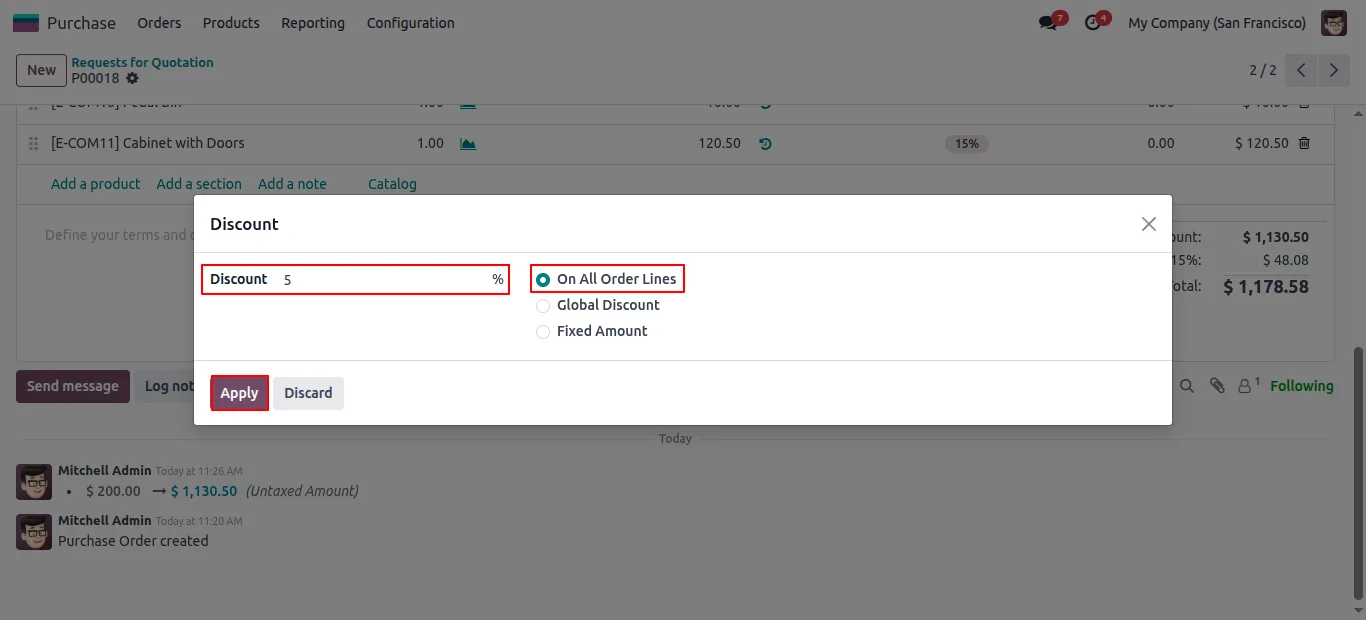
Apply a per-line percentage, a global percentage on the PO subtotal, or a fixed-amount deduction from the total — chosen at the time the buyer raises the order.
-
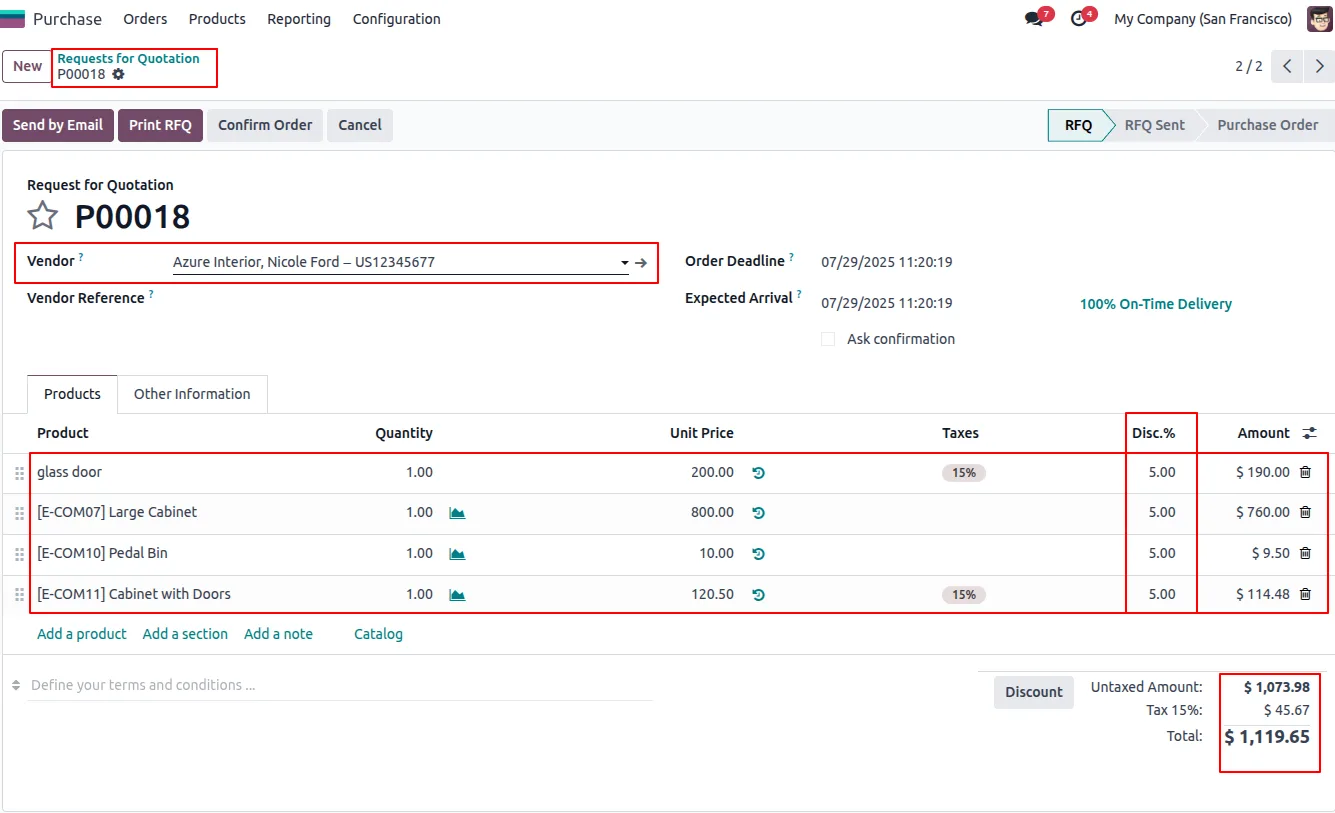
Discount on all order lines
A uniform percentage discount is pushed onto every product line in the purchase order — useful when a vendor offers a flat percentage on everything you buy from them.
-
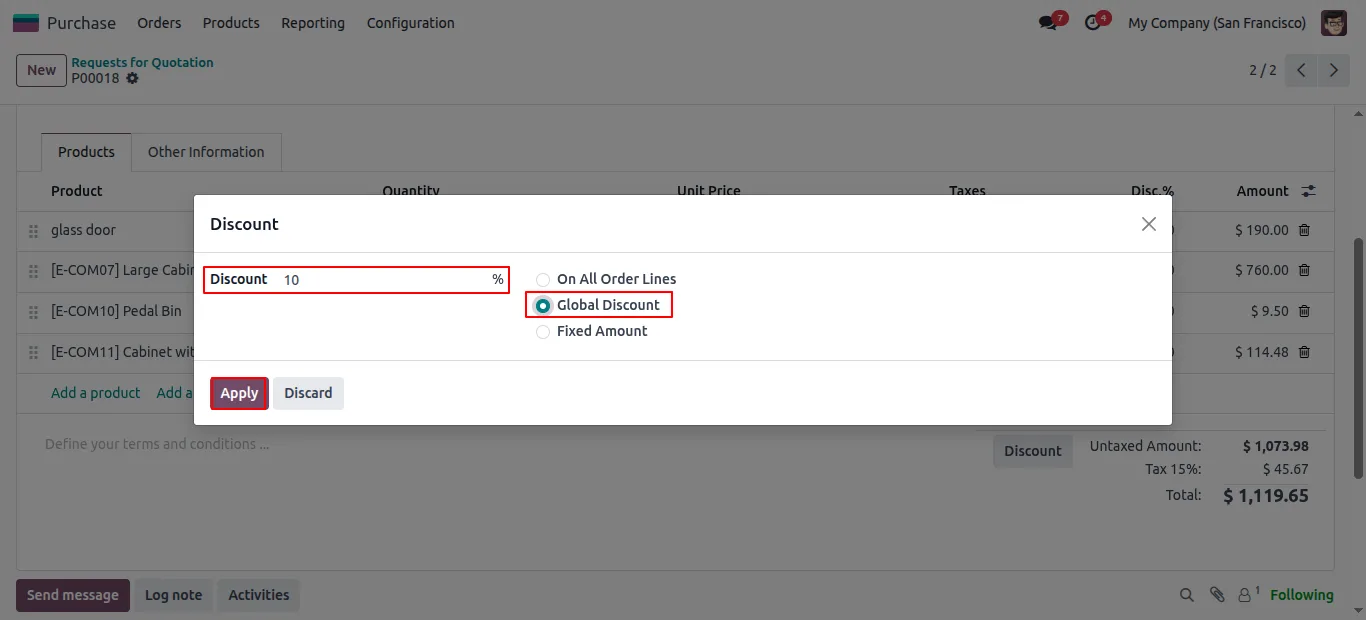
Global discount on the subtotal
Apply a single percentage on the PO subtotal without editing each line. Saves time and reduces error on large orders where line-level discounting is overkill.
-
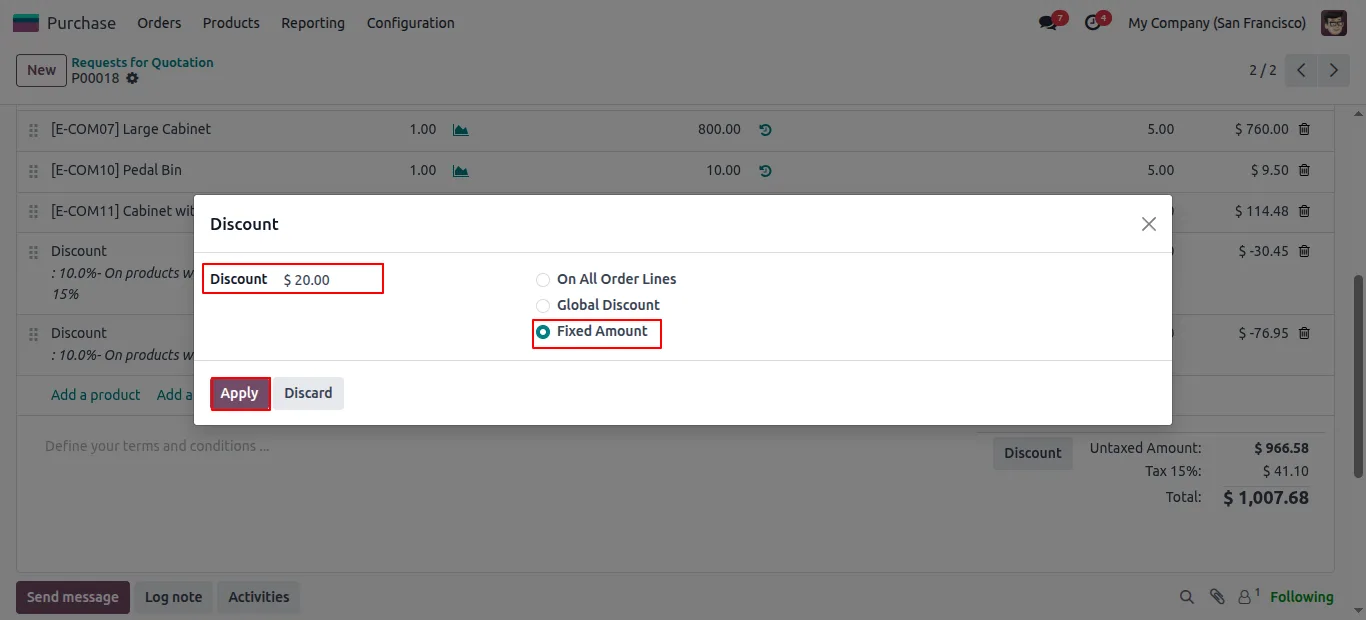
Fixed-amount rebate
Deduct a fixed currency amount from the total purchase value — for vendor rebates, negotiated lump-sum credits, and special pricing agreements that are not expressed as percentages.
-
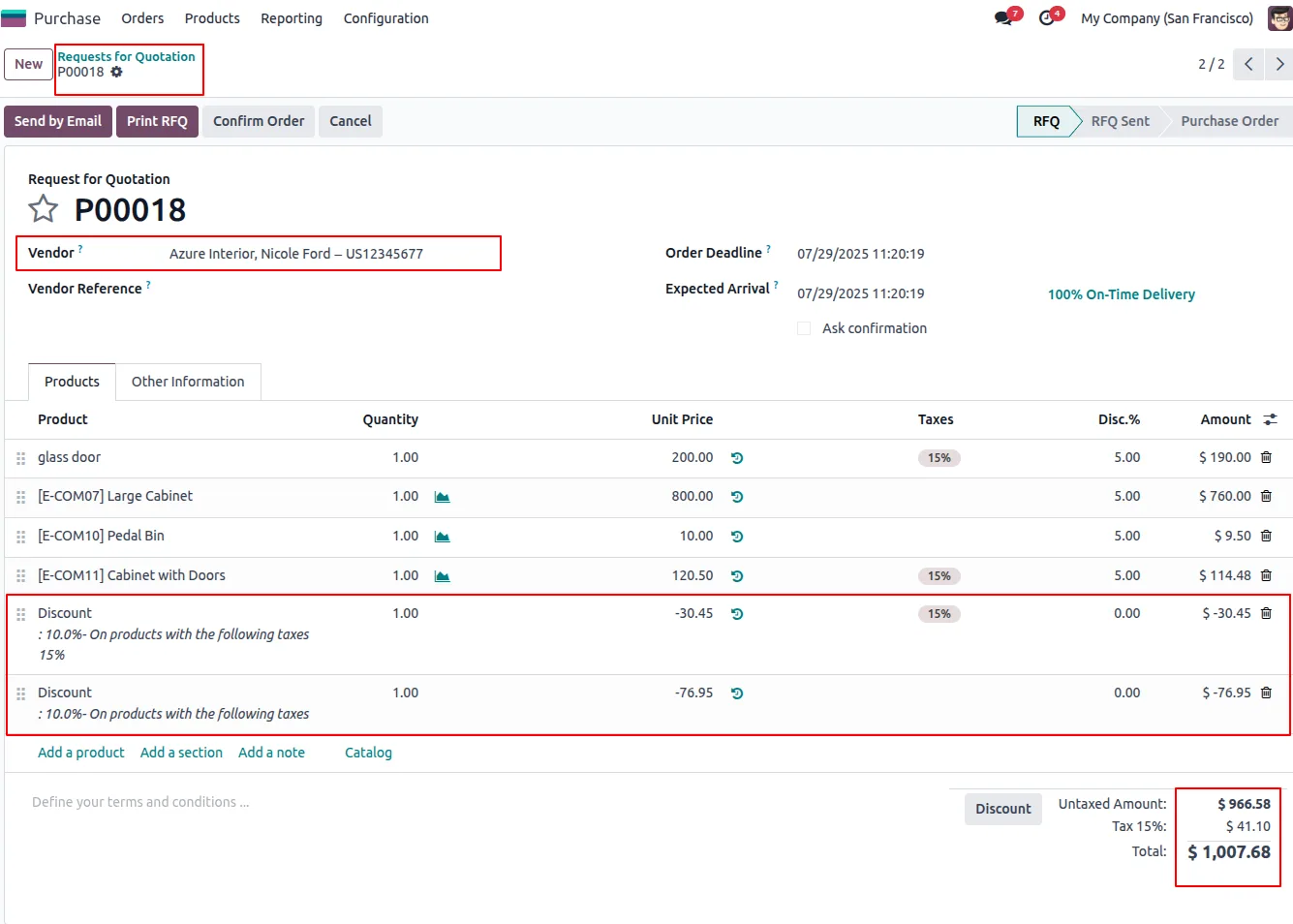
Automatic total recalculation
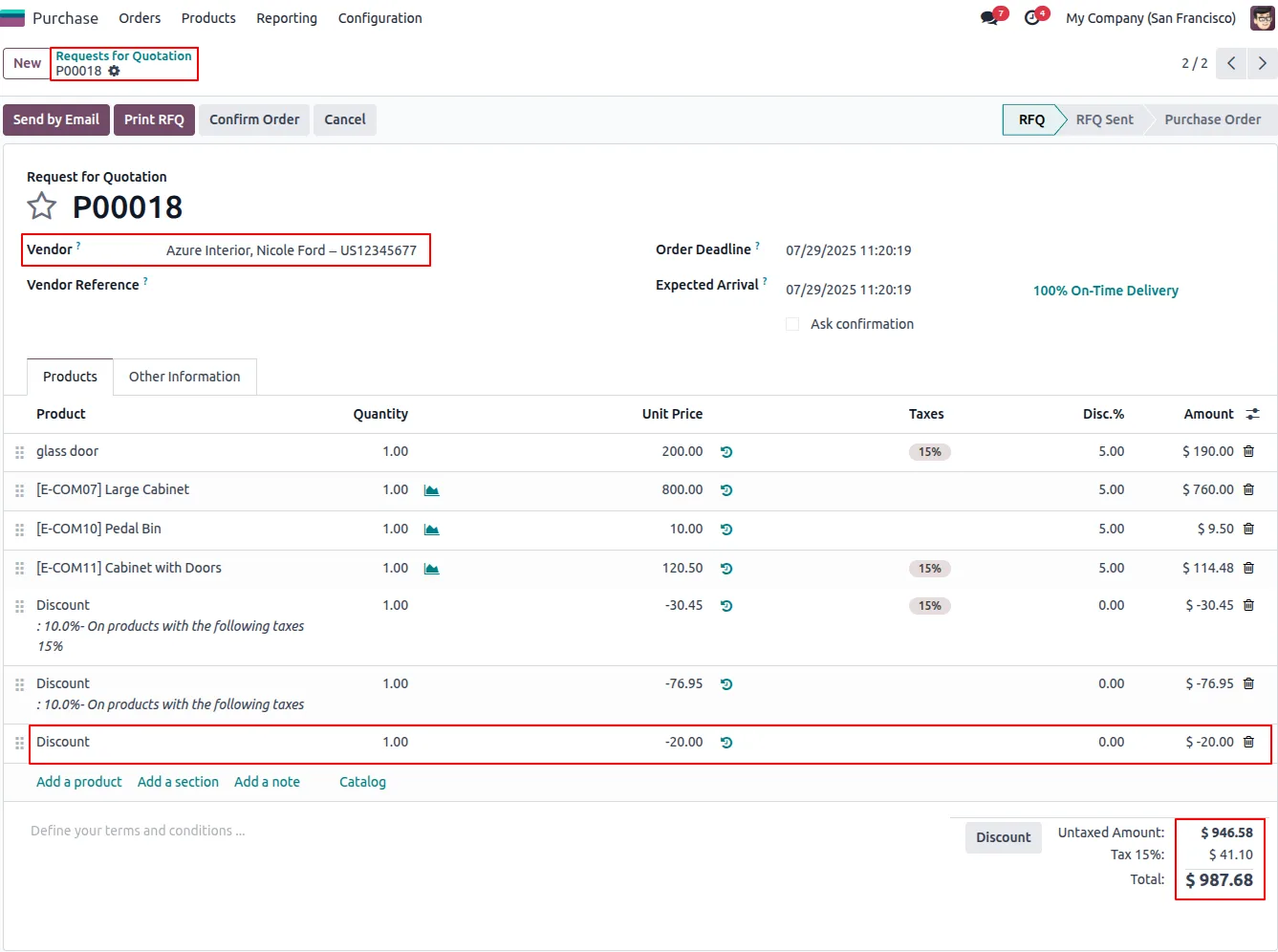
Once a discount is applied, the order subtotal, tax, and total recalculate automatically. Buyers see the impact instantly and do not have to redo the maths by hand.
-
Discount shown on the PO PDF
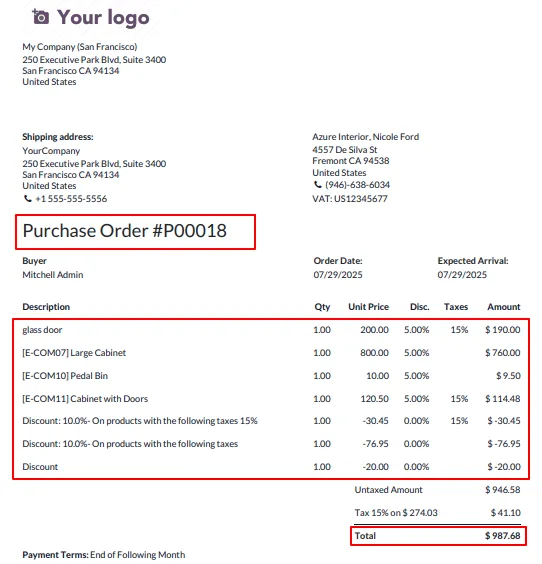
Discount details print on the standard purchase-order PDF report, so vendors and internal teams see the agreed price reduction on the document they actually sign off.
-
Vendor bill flow-through
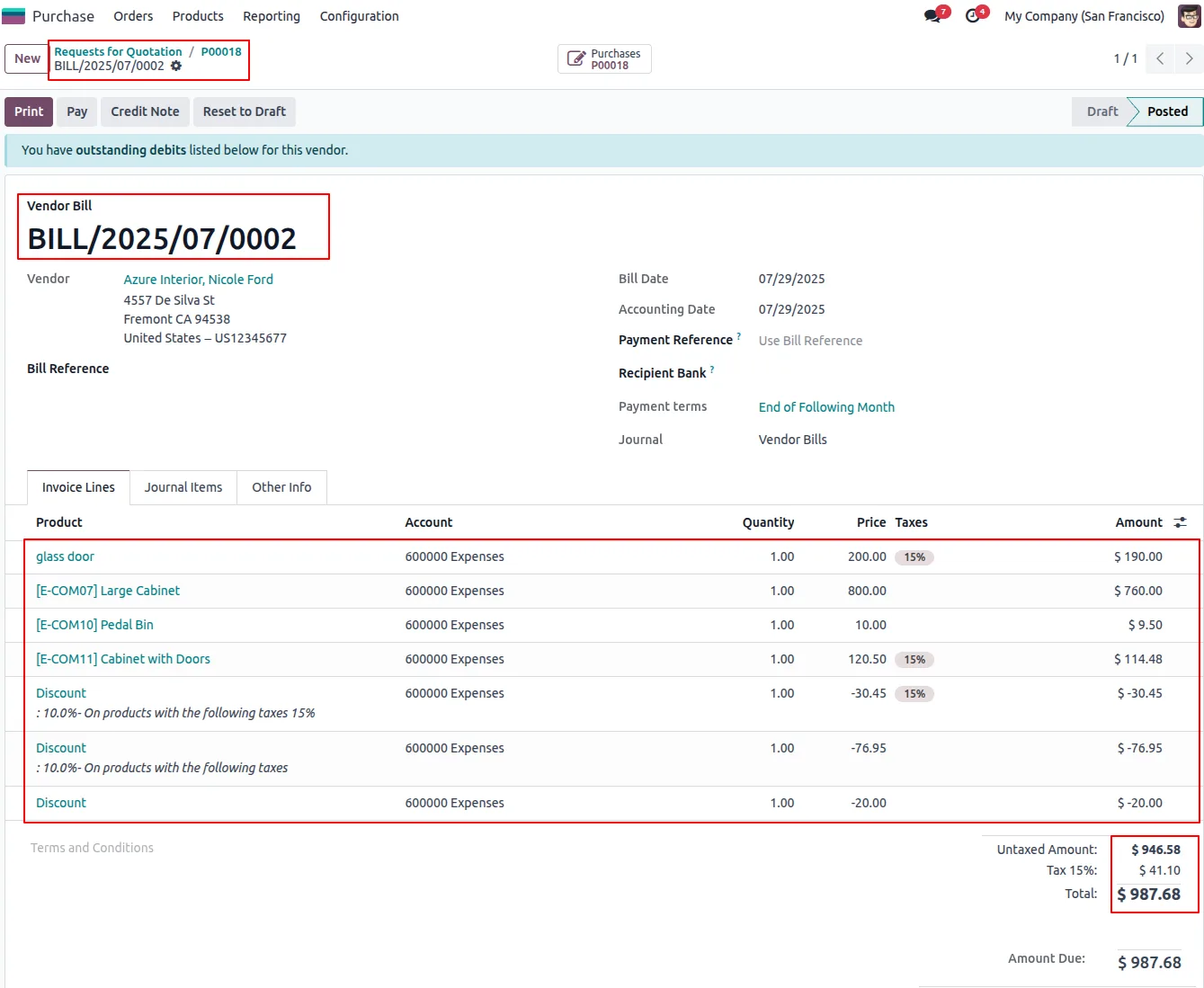
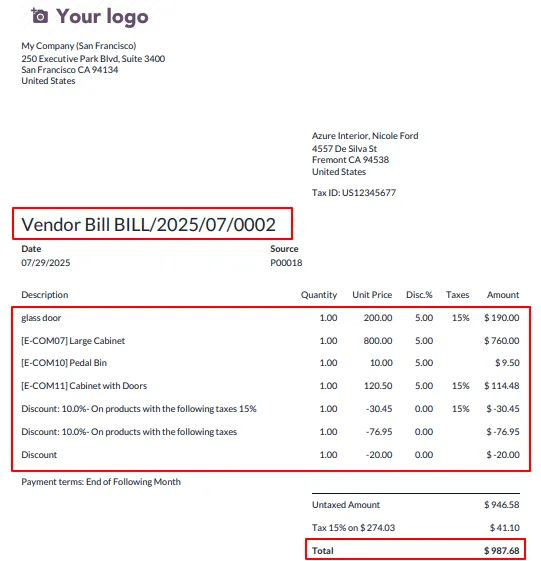
Discounts on a PO flow straight into the matching vendor bill, keeping accounting and procurement aligned without manual reconciliation.
-
Role-based discount control
Only users with the discount access right can apply discounts on a purchase order — the rest of the team raises orders at list price, which protects margin and prevents unauthorised changes.
-
Toggle from Purchase Settings
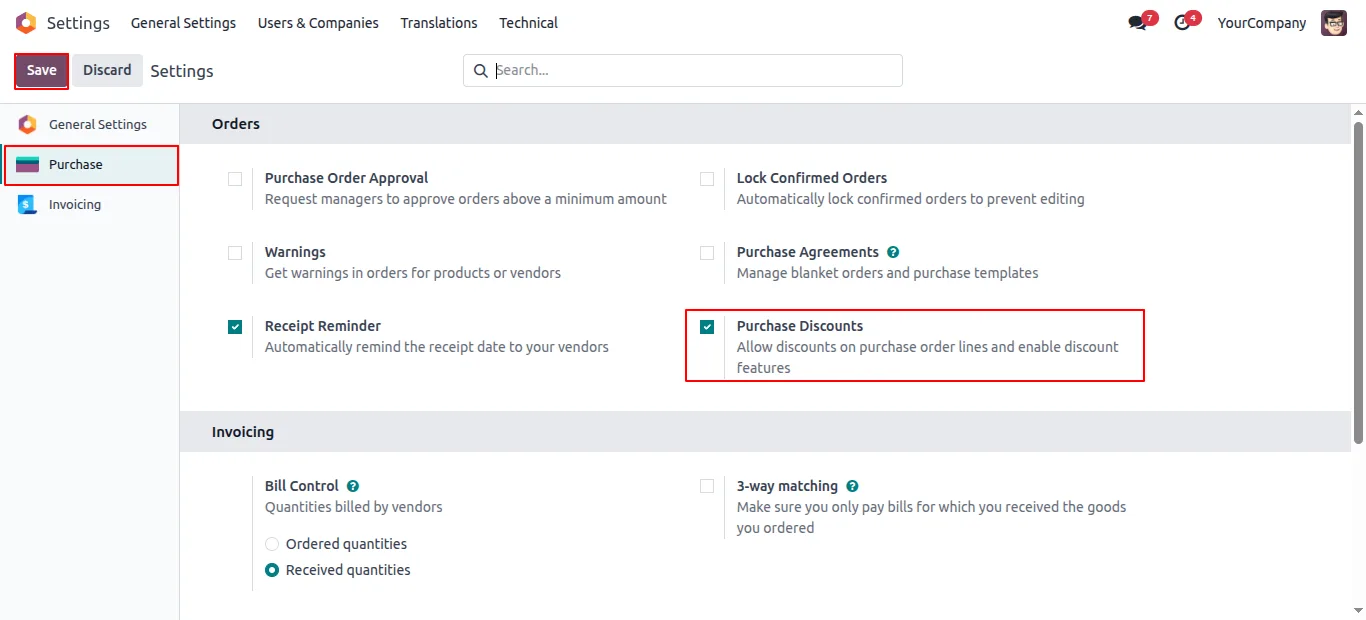
Administrators turn the global discount feature on or off from Settings → Purchase, so it can be rolled out company-wide or kept dark in a sandbox.
Purchase Global Discount in Odoo
Every screen, in the order you meet it — configuration first, then the module in use.
Technical details
Specification
- Publisher
- TechUltra Solutions Private Limited
- Technical name
- tus_purchase_discount_advanced
- Odoo versions
- 16.0, 17.0, 18.0, 19.0, 20.0
- Lines of code
- 238
- License
- Odoo Proprietary License v1.0 (OPL-1)
- Price
- $23.30 (one-time)
Deployment
- Odoo Online
- Odoo.sh
- On-premise
Odoo dependencies
- Purchase
- Invoicing
- Discuss
Support
90 days of bug-fix support, Monday to Friday (10:00–19:00 IST). Raise a ticket at support@techultra.in.
Setup & configuration
From install to first call — here is the path.
- 1
Install the module
In Odoo, open Apps, remove the Apps filter, search for “Purchase Global Discount”, and click Install.
- 2
Enable the feature in Purchase Settings
Go to Settings → Purchase, find the Purchase Discount option, and switch it on. Save. The Discount action is now available on purchase orders.
- 3
Grant discount access rights
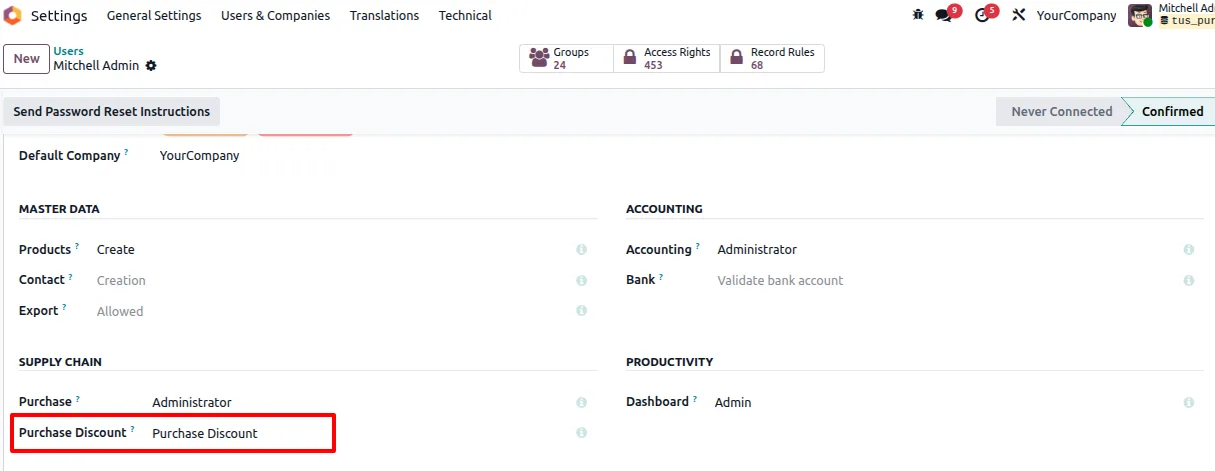
Open Settings → Users, edit the buyers who are authorised to give discounts, and turn on the Purchase Discount access right. Users without this right continue raising POs at list price.
- 4
Apply a discount on a PO
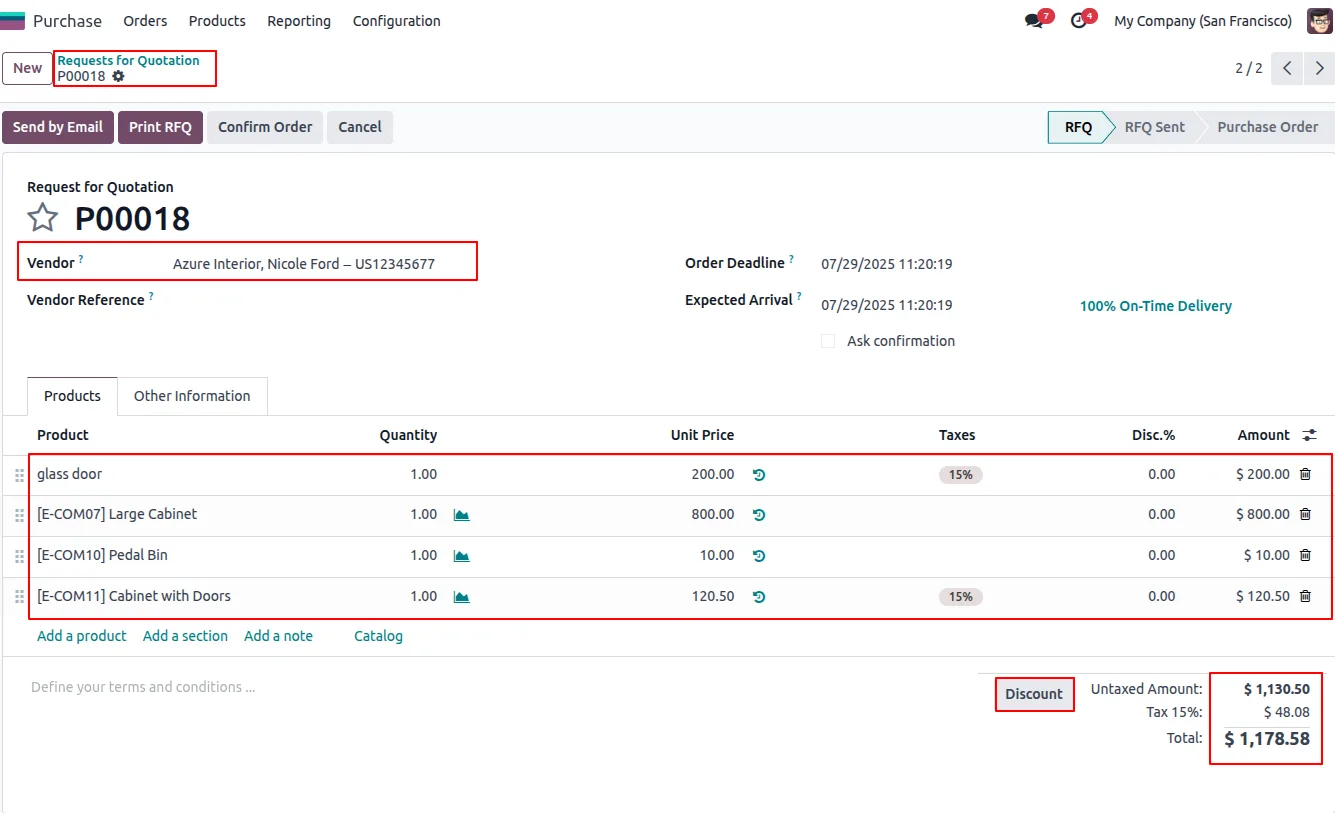
Open a purchase order, add the products, click the Discount button, choose All Order Lines / Global Discount / Fixed Amount, enter the value, and click Apply.
- 5
Confirm and check the bill
Confirm the purchase order and print the PDF — the discount appears on the report. When the vendor bill is created from the PO, the discount carries through automatically.
Frequently asked questions
-
How is this different from Odoo's standard line discount?
Standard Odoo gives you a Discount column per purchase-order line. This module adds two extra methods on top — a single global percentage on the PO subtotal, and a fixed-amount rebate from the total — and lets you control who can apply them.
-
Do discounts flow into the vendor bill?
Yes. Discounts applied on a purchase order flow into the matching vendor bill automatically, so accounting and procurement stay aligned without manual reconciliation.
-
Does the discount show on the PO PDF for the vendor?
Yes. Discount details are printed on the standard purchase-order PDF report, so the agreed price reduction is visible on the document the vendor actually receives.
-
Can I stop every buyer from applying discounts?
Yes. Discount controls are protected by a dedicated access right. Only users you authorise in Settings → Users can apply a discount; everyone else raises POs at list price.
-
What if I want to turn the feature off later?
An administrator can disable the Purchase Discount option in Settings → Purchase at any time. The Discount button is then hidden on purchase orders.
-
Does the order total update automatically?
Yes. Once a discount is applied, the PO subtotal, tax, and total recalculate immediately so the buyer sees the impact straight away.
-
Which Odoo versions are supported?
The module is published for Odoo 16.0, 17.0, 18.0, 19, and 20.0, in both Community and Enterprise editions.
-
Can I combine the three discount methods on one PO?
Each discount run applies one method — All Order Lines, Global Discount, or Fixed Amount — to the order. Re-running the wizard updates the discount on the order to the new method and value.
Listing verified against the Odoo App Store:
Related solutions
Whole-platform solutions that complement Purchase Global Discount.
Odoo Purchase
Odoo Purchase module — RFQ, PO, supplier portal, three-way match, blanket PO, drop-ship, sub-contracting. Integrated with Inventory + MRP + Accounting.
Odoo Inventory + Warehouse Management
Odoo Inventory module — multi-warehouse, batch/serial, putaway, barcode, replenishment, cross-docking, dropship, consignment. Full WMS in your ERP.
Related services
Get the most out of this module with senior TechUltra consultants.
Odoo Customization Services
Odoo customization from a Gold Partner: custom modules, workflows, reports and Studio changes, written upgrade-safe and quoted at a fixed scope. Free scoping call.
Hire Odoo Developers
Hire certified Odoo developers from a Gold Partner: one developer or a team, full-time or part-time, 70–160 hours a month. Silver, Gold or Platinum plan, free trial.
Odoo Support Services & Maintenance
Odoo support services from a Gold Partner: functional and technical support plus server cover for Enterprise and Community, 30-minute P1 response, 24/7 option.







