
Odoo App · Reporting & PDF
Invoicing Report Secure ZIP
Bundle invoices, vendor bills, credit notes, and payments into one password-protected ZIP — direct from Odoo.

Overview
Invoicing Report Secure ZIP turns Odoo's standard one-at-a-time print into a bulk, secure export. Customer invoices, vendor bills, credit notes (customer and vendor), and payments can all be downloaded as a single ZIP — with the option to apply password protection to the archive.
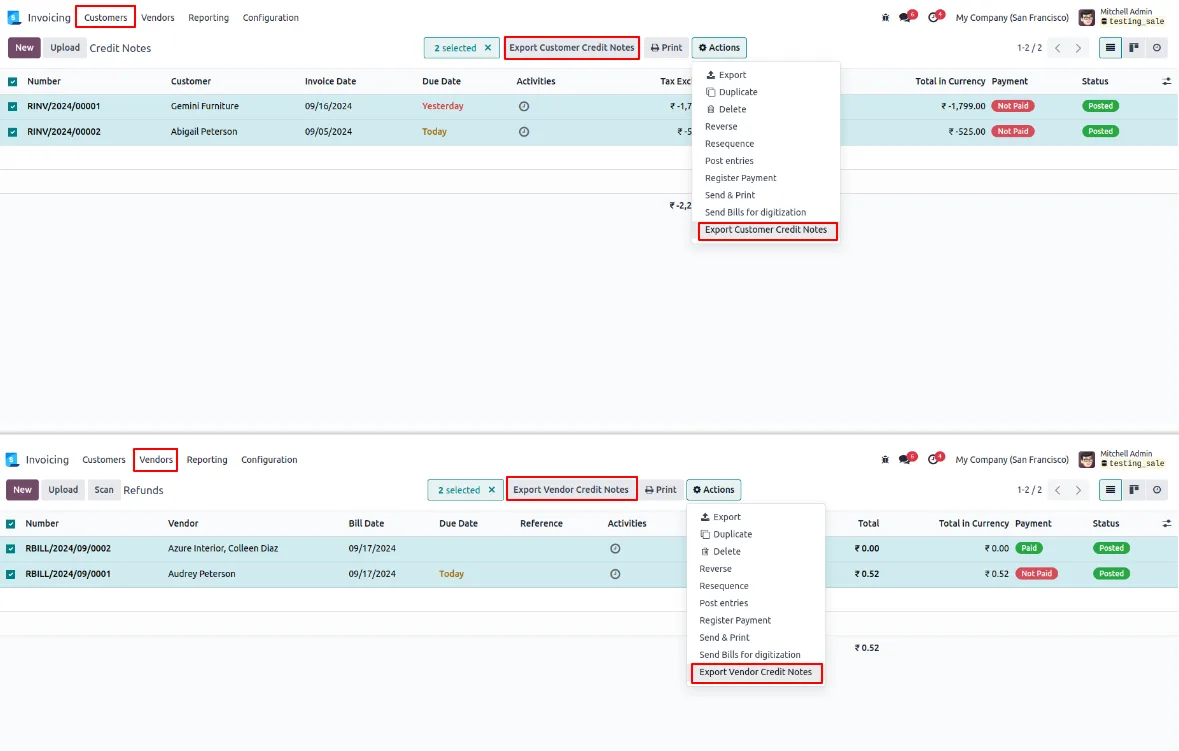
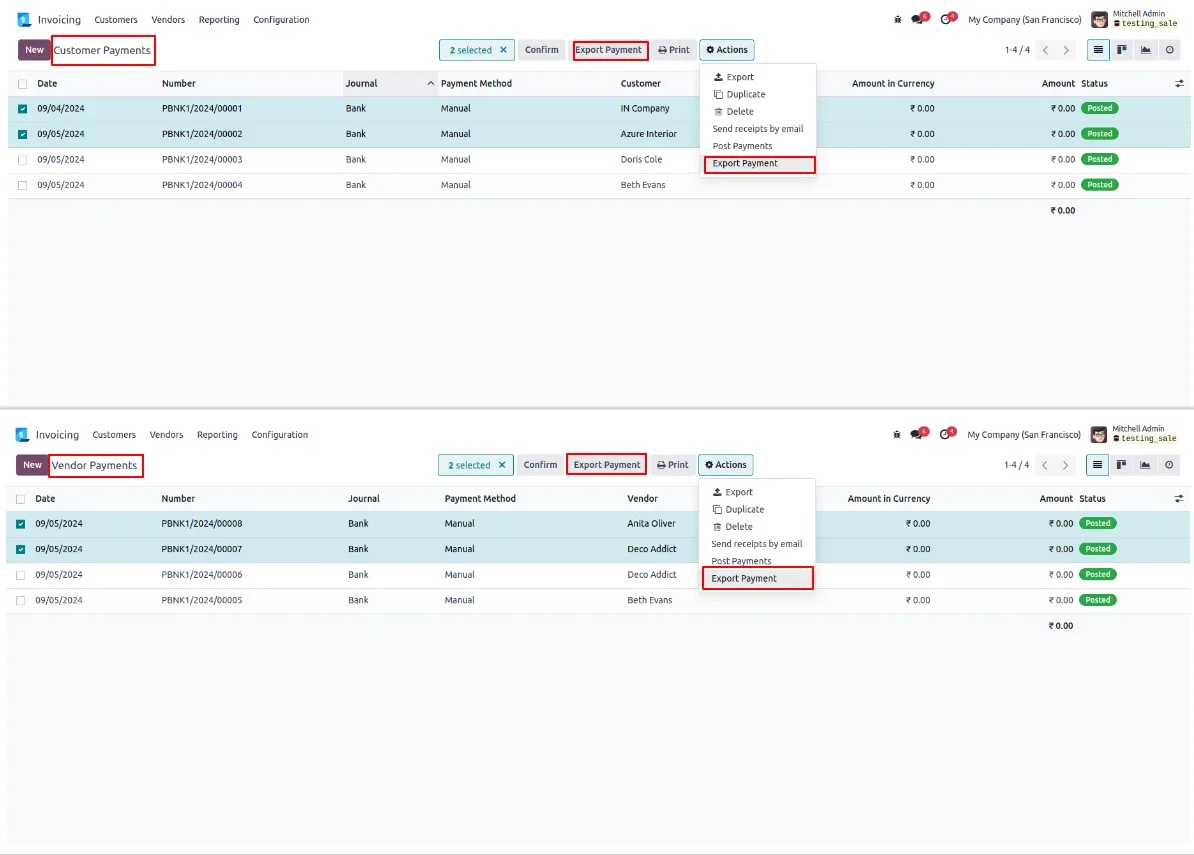
Built by TechUltra Solutions, the module adds a clearly labelled export button on top of each invoicing tree view — Invoices, Vendor Bills, Customer Credit Notes, Vendor Credit Notes, Customer Payments, and Vendor Payments — controlled by per-user permissions, so finance leads can keep the action away from operational staff.
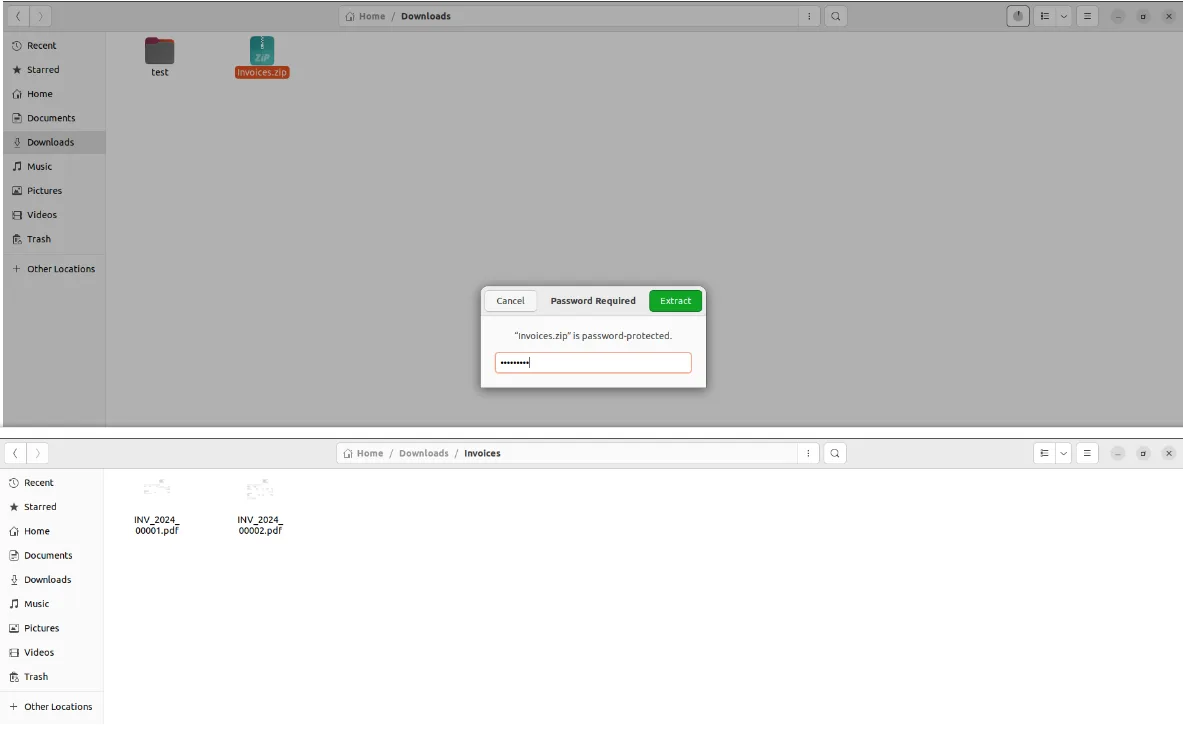
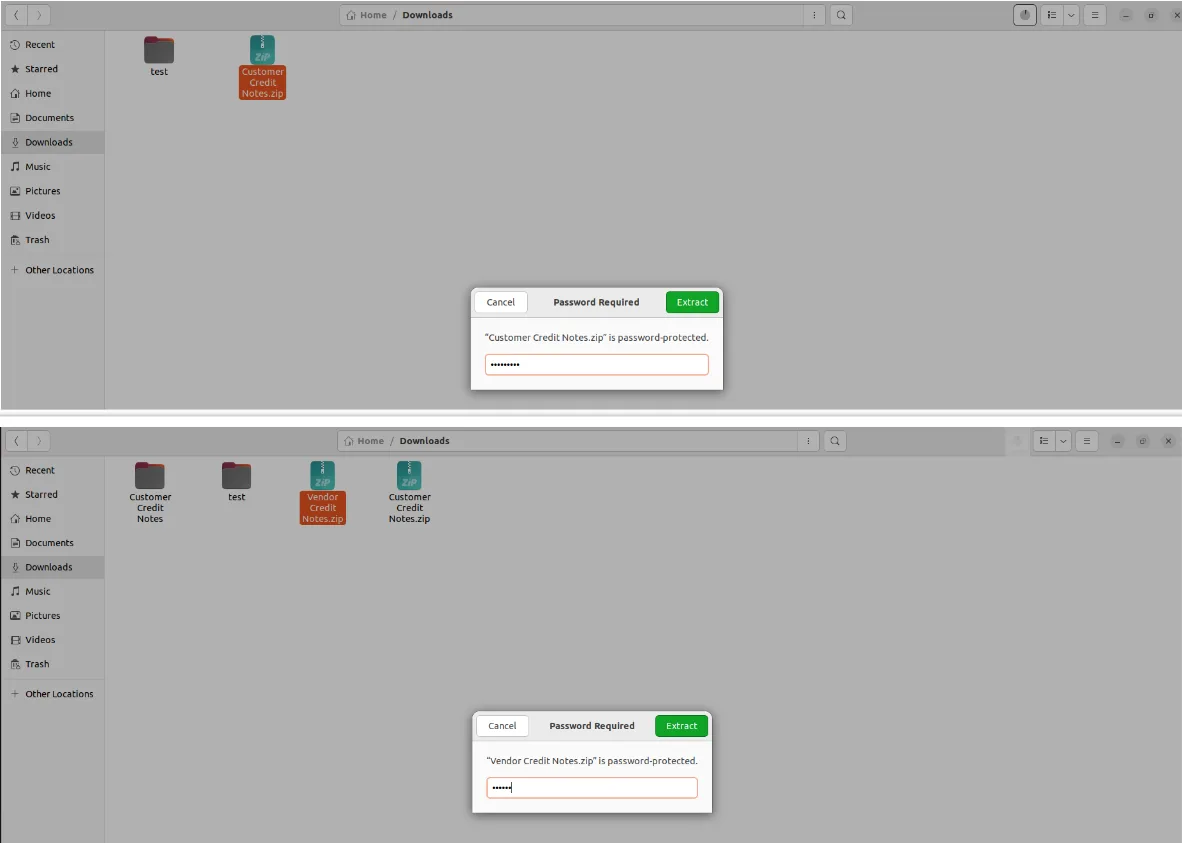
A simple wizard guides the user through selection, filtering, and the optional password. The exported ZIP packages the standard QWeb reports unchanged, so the documents inside are the same files finance and tax teams already work with — just bundled, compressed, and (when needed) encrypted for safer hand-off to auditors, customers, and banks.
Key features
-
Multi-document export
Export multiple documents — including Customer Invoices, Vendor Bills, Credit Notes, and Payments — in one go, instead of printing them one at a time.
-
Password-protected ZIP
Create a password-protected ZIP file, ensuring that sensitive financial data is securely stored and shared with auditors, banks, or customers.
-
Compressed file organisation
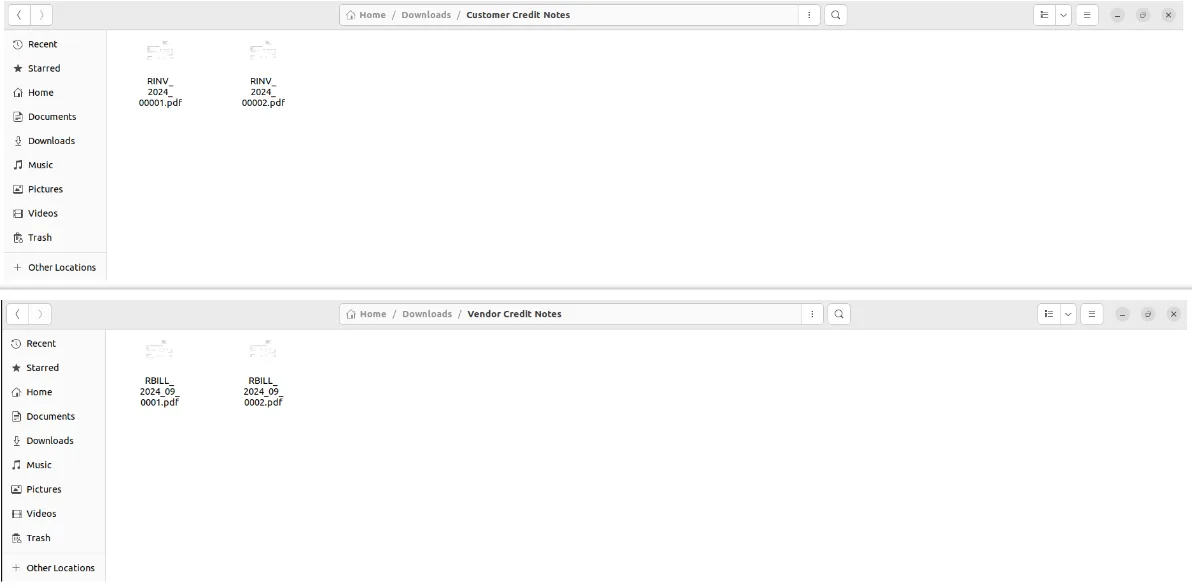
Compiles the selected QWeb reports into a single compressed ZIP, making it easier to archive a period's financials in one organised file.
-
Flexible protection options
Create either password-protected or unprotected ZIP files based on how the bundle will be shared — internal mailbox versus external recipient.
-
Intuitive wizard interface
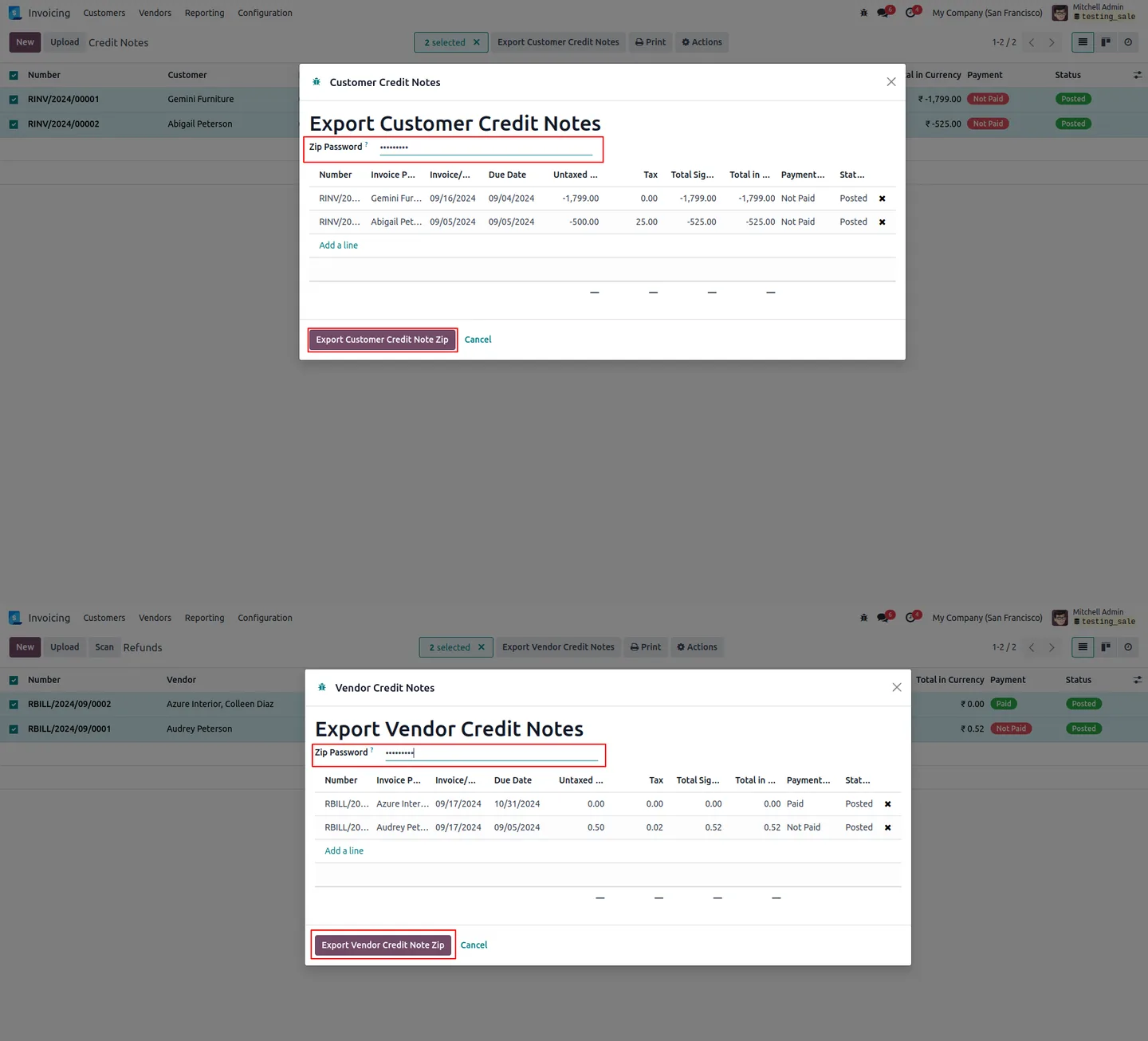
Simple and intuitive wizard, guiding you through the steps to select records, apply filters, and set password protection — no developer mode required.
-
Security layer for financial documents
Prevents unauthorised access by safeguarding financial documents with password protection on the ZIP archive itself.
-
Workflow integration
Manages and exports invoices without interrupting regular business processes — sits on top of standard Invoicing tree views.
-
Per-user export permissions
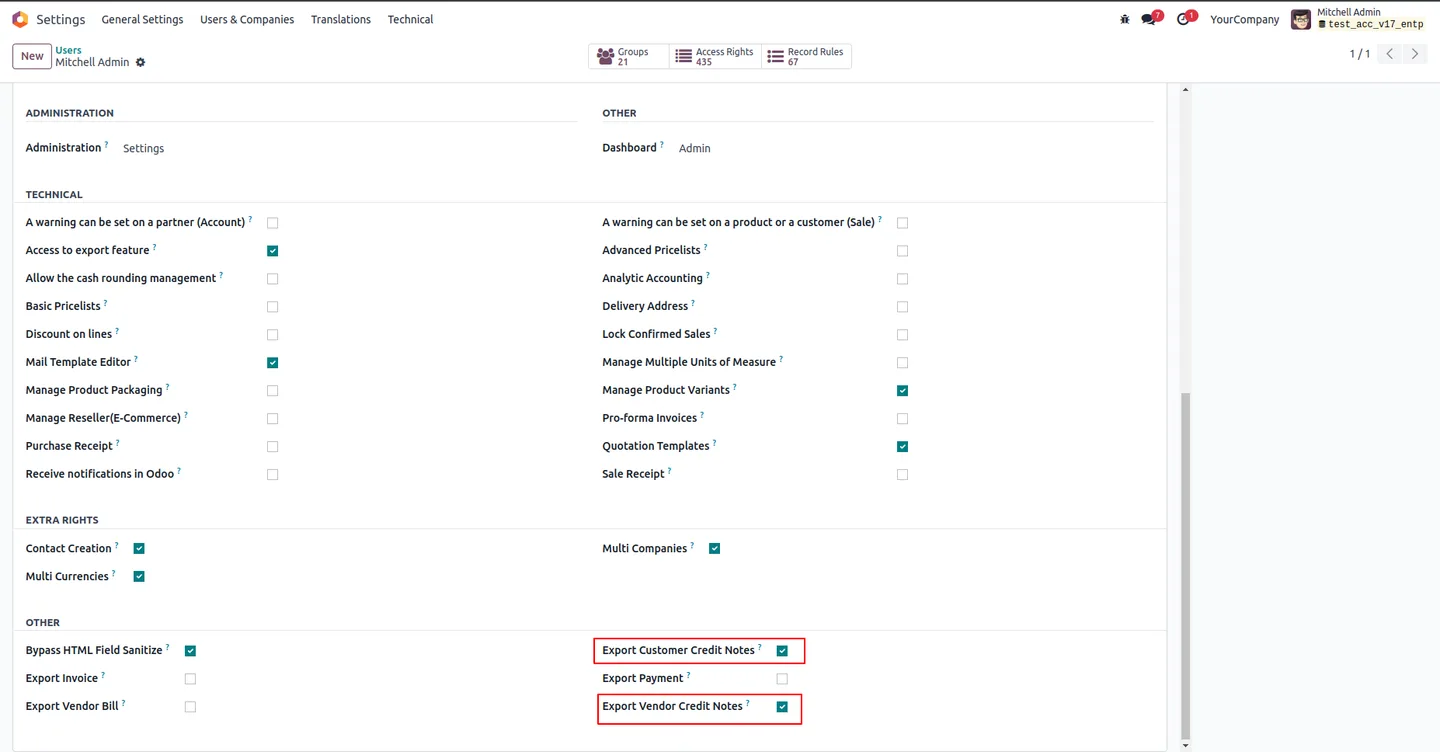
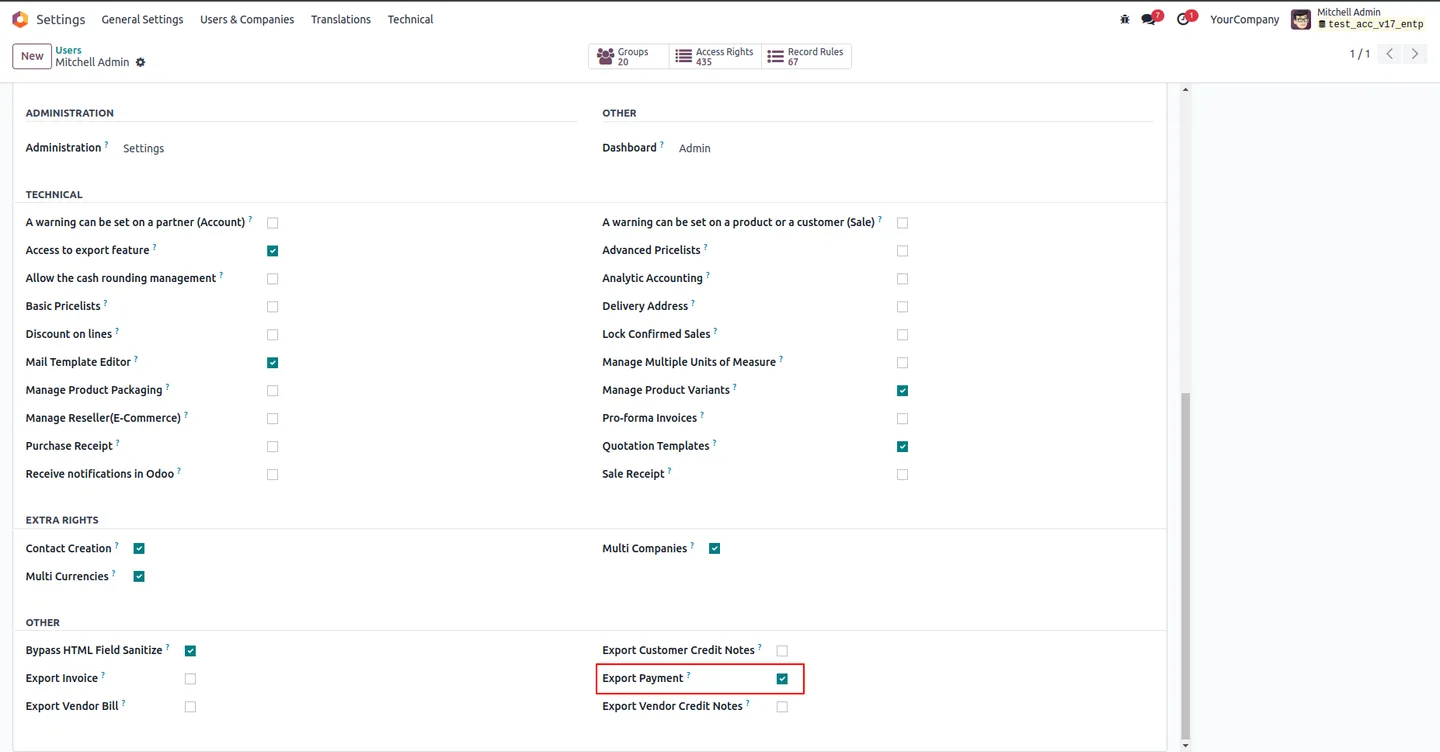
Per-user fields (Export Invoice, Export Vendor Bill, Export Customer/Vendor Credit Notes, Export Payment) control who sees each export button.
Invoicing Report Secure ZIP in Odoo
Every screen, in the order you meet it — configuration first, then the module in use.
Technical details
Specification
- Publisher
- TechUltra Solutions Private Limited
- Technical name
- invoicing_report_zip_secure
- Odoo versions
- 14.0, 15.0, 16.0, 17.0, 18.0, 19.0, 20.0
- Lines of code
- 462
- License
- Odoo Proprietary License v1.0 (OPL-1)
- Price
- $15.14 (one-time)
Deployment
- Odoo Online
- Odoo.sh
- On-premise
Odoo dependencies
- Invoicing
- Discuss
Support
90 days of bug-fix support, Monday to Friday (10:00–19:00 IST). Raise a ticket at support@techultra.in.
Setup & configuration
From install to first call — here is the path.
- 1
Install the module
In Odoo, open Apps, remove the Apps filter, search for “Invoicing Report Secure ZIP”, and click Install.
- 2
Enable per-user export permissions
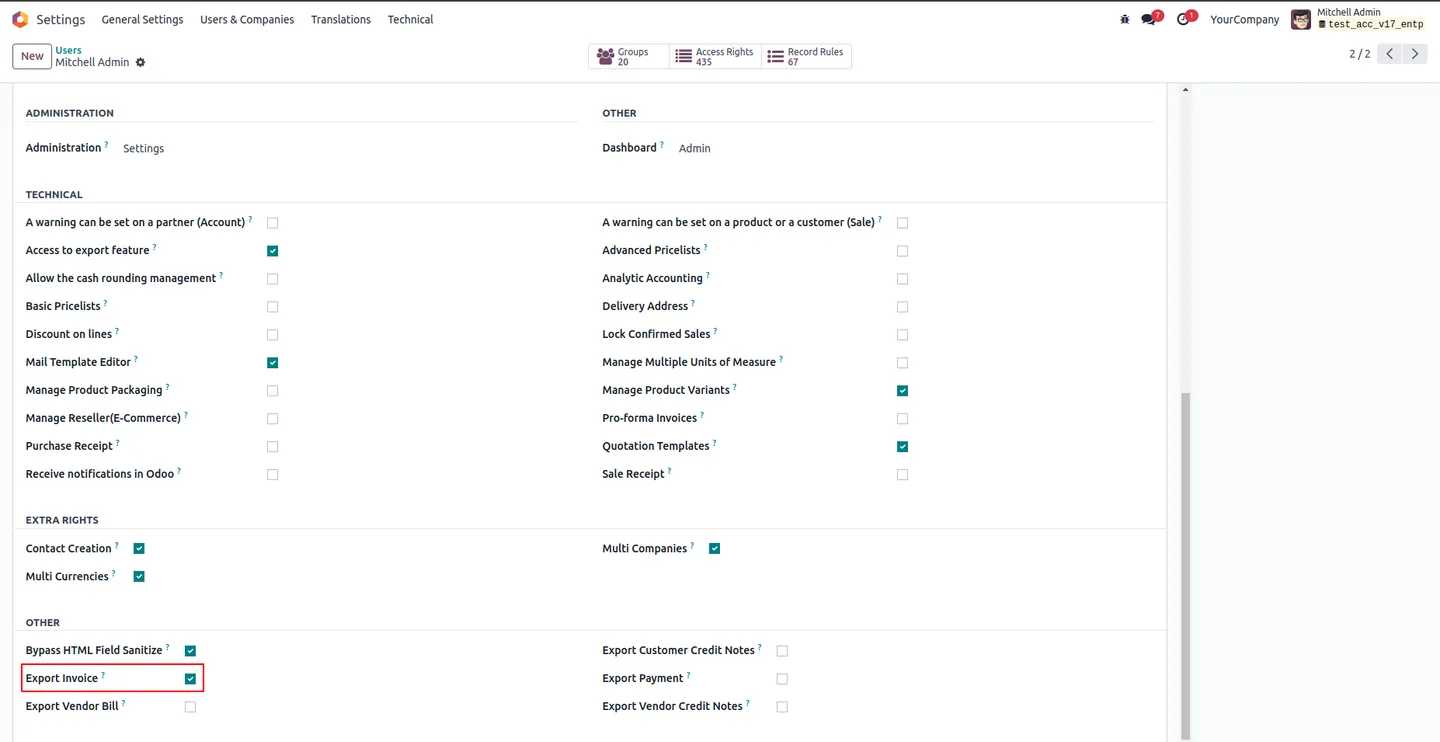
Go to Settings → Users & Companies → Users, open the user that should be able to export, and enable the relevant flags: Export Invoice, Export Vendor Bill, Export Customer Credit Notes, Export Vendor Credit Notes, Export Payment. Refresh the page.
- 3
Open the document list
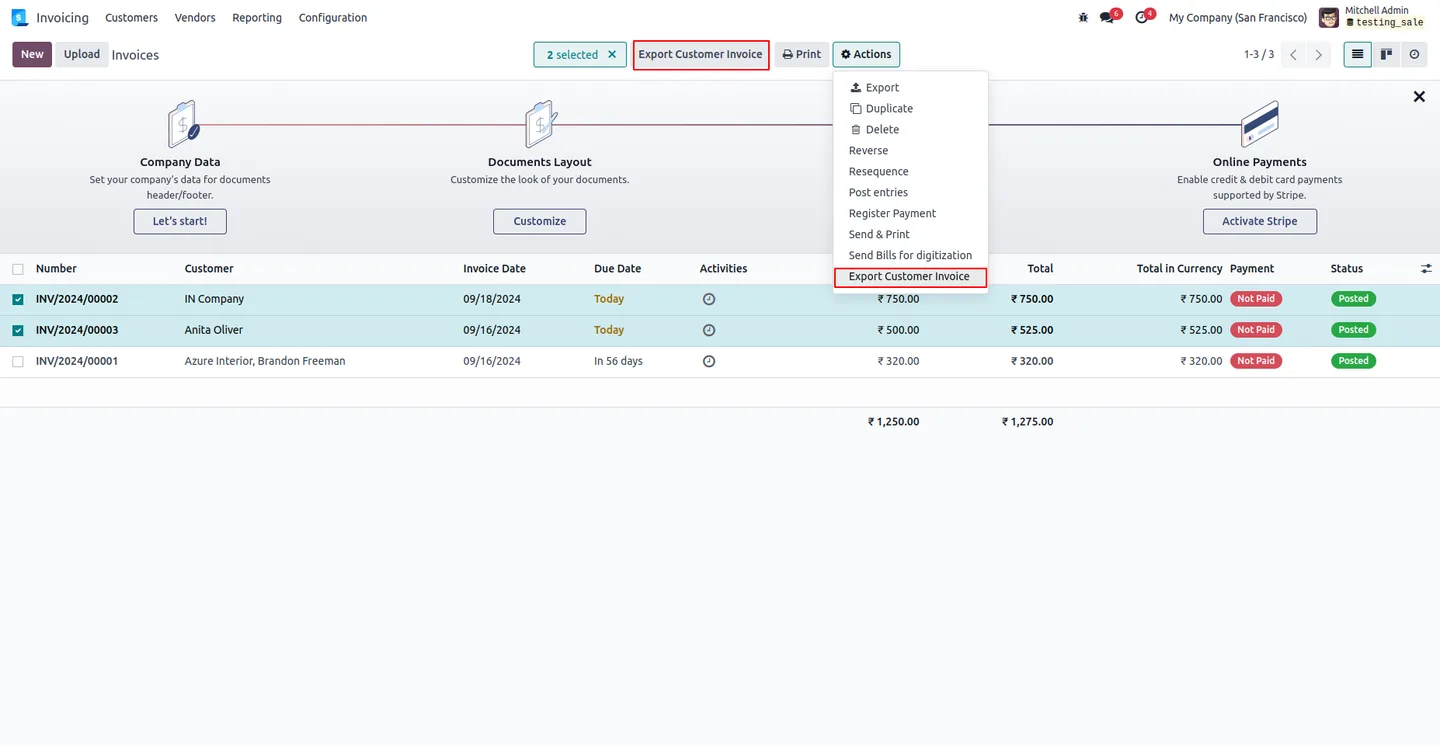
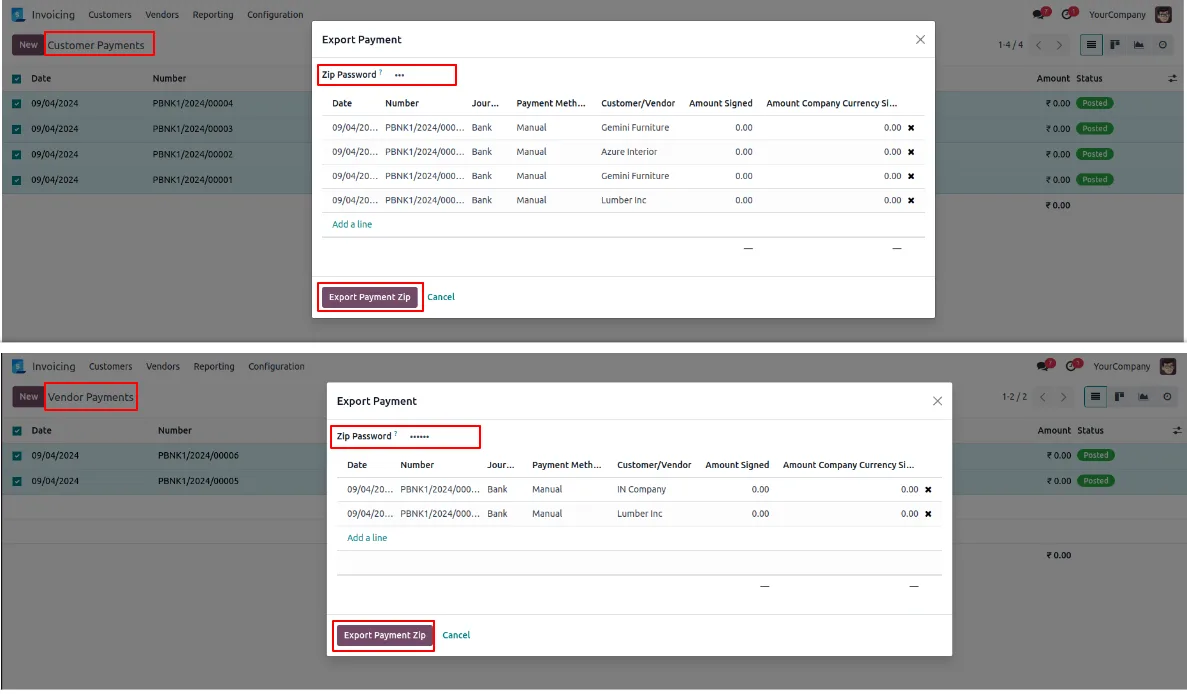
Go to Accounting/Invoicing and open the relevant list — Invoices, Vendor Bills, Customer or Vendor Credit Notes, or Customer/Vendor Payments. Each list gains its own export button when records are selected.
- 4
Select the records to export
Tick the rows you want included, or filter the list by date range, partner, or status to scope the batch before selecting.
- 5
Run the export action
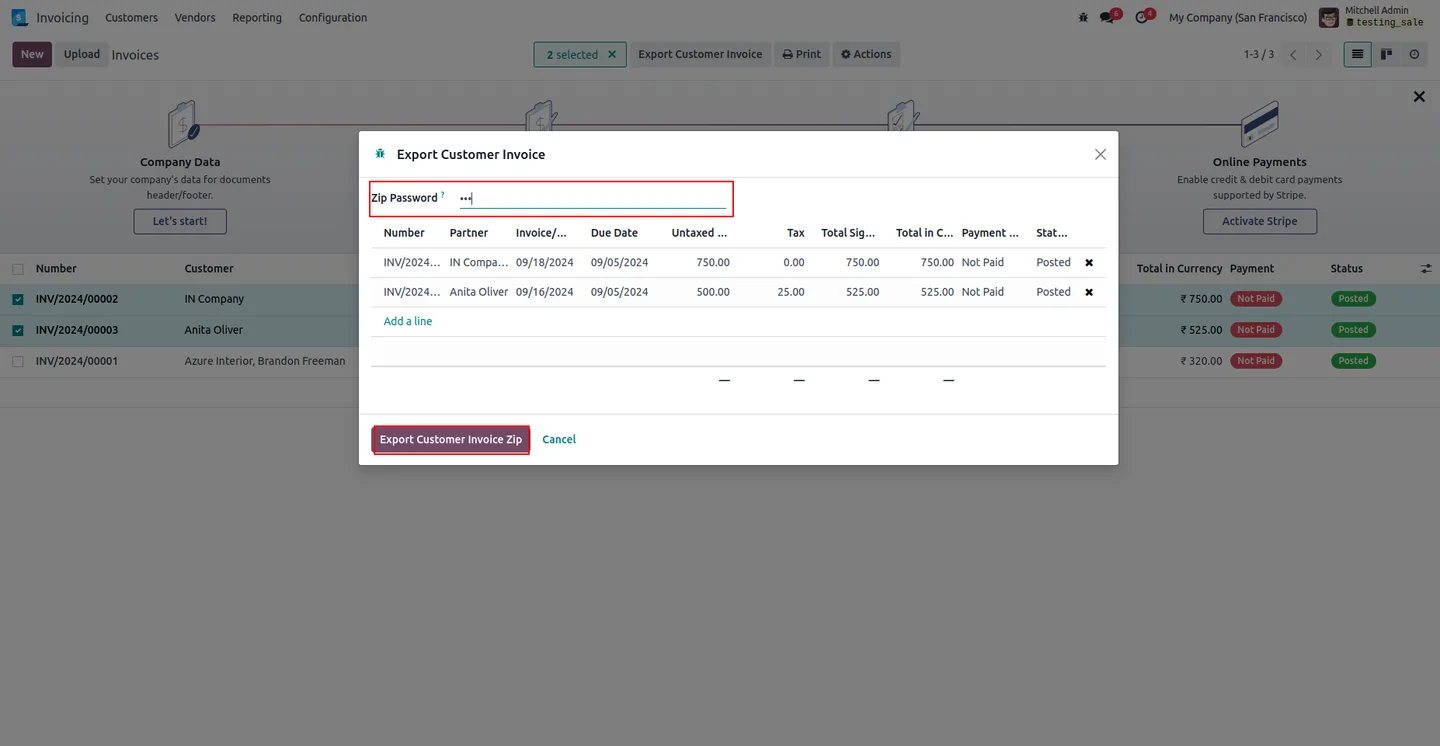
Click the matching export button (for example Export Invoices, Export Vendor Bill, Export Customer/Vendor Credit Notes, or Export Payments). The wizard opens with the selected records.
- 6
Set the password and download the ZIP
Enter a password for an encrypted ZIP — or leave it blank for an open archive — then click the corresponding export-to-ZIP button to generate and download the bundle.
Frequently asked questions
-
Which invoicing documents can the module export?
It exports the standard QWeb reports for Customer Invoices, Vendor Bills, Customer Credit Notes, Vendor Credit Notes, and Payments (customer and vendor) — each as its own export action on the matching tree view.
-
Do I have to set a password on the ZIP?
No. The wizard supports an encrypted ZIP when a password is entered or an open ZIP when the password field is left blank.
-
Which Odoo versions are supported?
The module supports Odoo 14.0, 15.0, 16.0, 17.0, 18.0, 19.0, and 20.0.
-
Can I restrict who sees the export buttons?
Yes. Each export action is gated by a per-user permission (Export Invoice, Export Vendor Bill, Export Customer Credit Notes, Export Vendor Credit Notes, Export Payment) set on the user record.
-
Does it use Odoo's standard QWeb reports?
Yes. The module bundles the standard QWeb reports for each document type unchanged, so the PDFs inside the ZIP match what users already print one at a time.
-
Can I filter records before exporting?
Yes. Use Odoo's standard filters and date ranges on the list view to scope the batch, then select the records you want before running the export action.
-
Will this interfere with our regular invoicing workflow?
No. The module adds export buttons to existing tree views and manages and exports invoices without interrupting regular business processes.
-
Is support included?
Yes. The module includes 90 days of bug-fix support, Monday to Friday, 10:00–19:00 IST.
Listing verified against the Odoo App Store:
Related services
Get the most out of this module with senior TechUltra consultants.
Odoo Customization Services
Odoo customization from a Gold Partner: custom modules, workflows, reports and Studio changes, written upgrade-safe and quoted at a fixed scope. Free scoping call.
Hire Odoo Developers
Hire certified Odoo developers from a Gold Partner: one developer or a team, full-time or part-time, 70–160 hours a month. Silver, Gold or Platinum plan, free trial.
Odoo Support Services & Maintenance
Odoo support services from a Gold Partner: functional and technical support plus server cover for Enterprise and Community, 30-minute P1 response, 24/7 option.







