

Odoo App · Accounting & Finance
Internal Payment Transfer
Move money between Odoo journals with automatic source and destination entries.

Overview
In Odoo 19, the simple workflow finance teams used for years to record bank-to-bank or bank-to-cash transfers needed restoring. Internal Payment Transfer brings that workflow back, aligned to the Odoo 19 UI.
Built by TechUltra Solutions, the module lets accountants create an Internal Transfer payment between any two configured journals — bank, cash, or another payment journal — and posts the matching entries on both sides automatically. There is no need to record two separate payments or build manual journal entries.
The result is faster month-end work, fewer reconciliation mismatches, and a clear audit trail of every internal fund movement across the company's accounts.
Key features
-
Internal payment transfer between journals
Easily transfer money between different Odoo journals such as bank, cash, and other company payment journals, all from a single payment form.
-
Bank to bank and bank to cash transfers
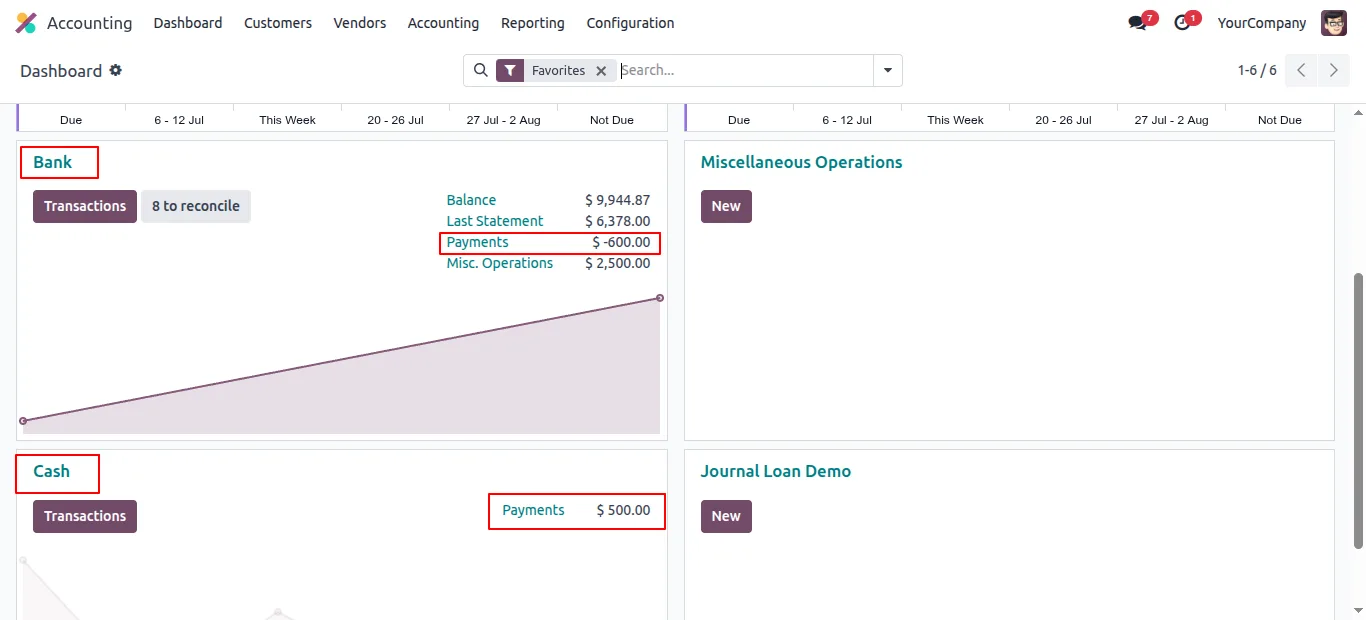
Manage internal transfers from one bank account to another, or from a bank account to a cash journal, directly inside Odoo 19.
-
Automated accounting entries
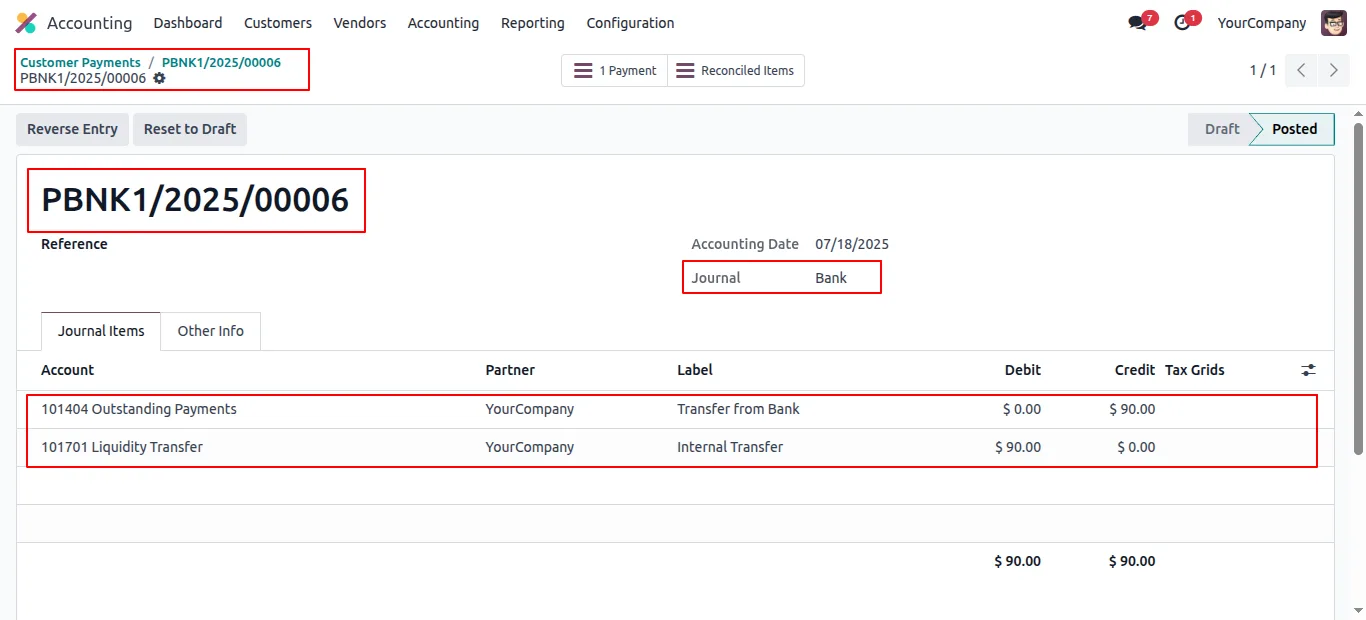
The module automatically generates accounting entries for both the source and destination journals, reducing manual work and minimising accounting errors.
-
Improved financial transparency
Track every internal fund movement with clear records, helping your finance team maintain better visibility and audit readiness.
-
Reconciliation-friendly workflow
Designed to support smooth reconciliation by keeping journal entries structured and compatible with Odoo accounting processes.
-
Odoo-native interface
The module follows the Odoo user-interface style, so accounting users can adopt it without additional training.
-
Easy configuration
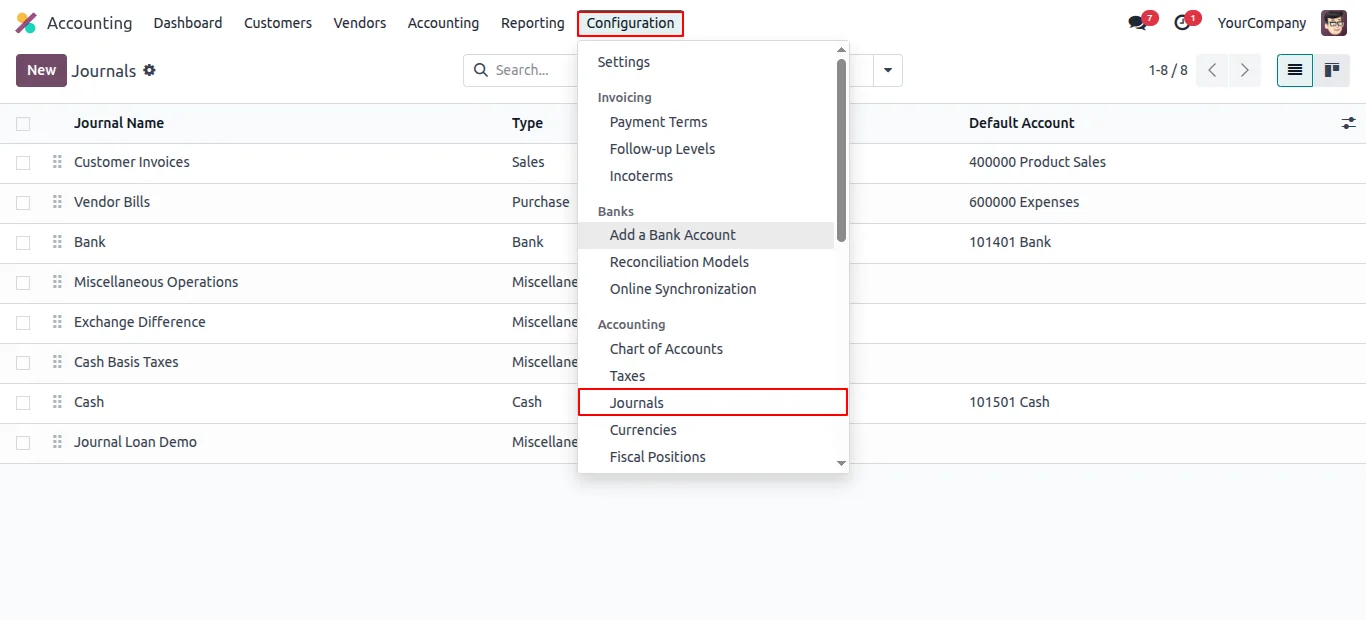
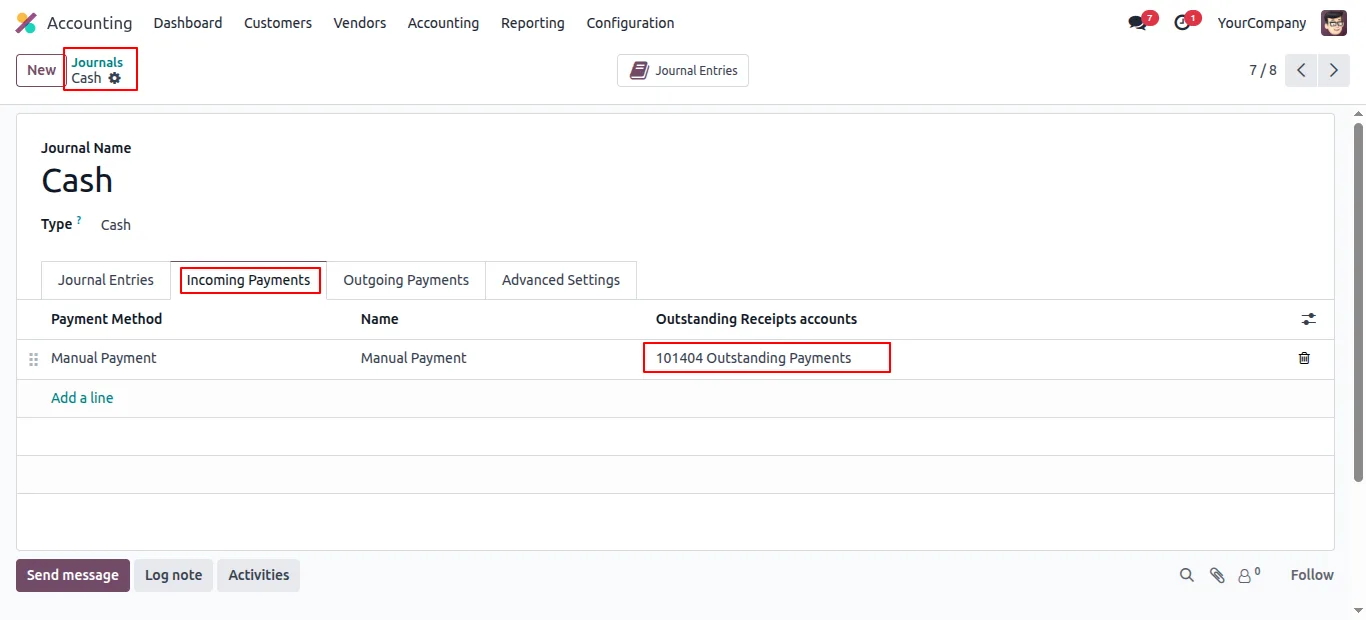
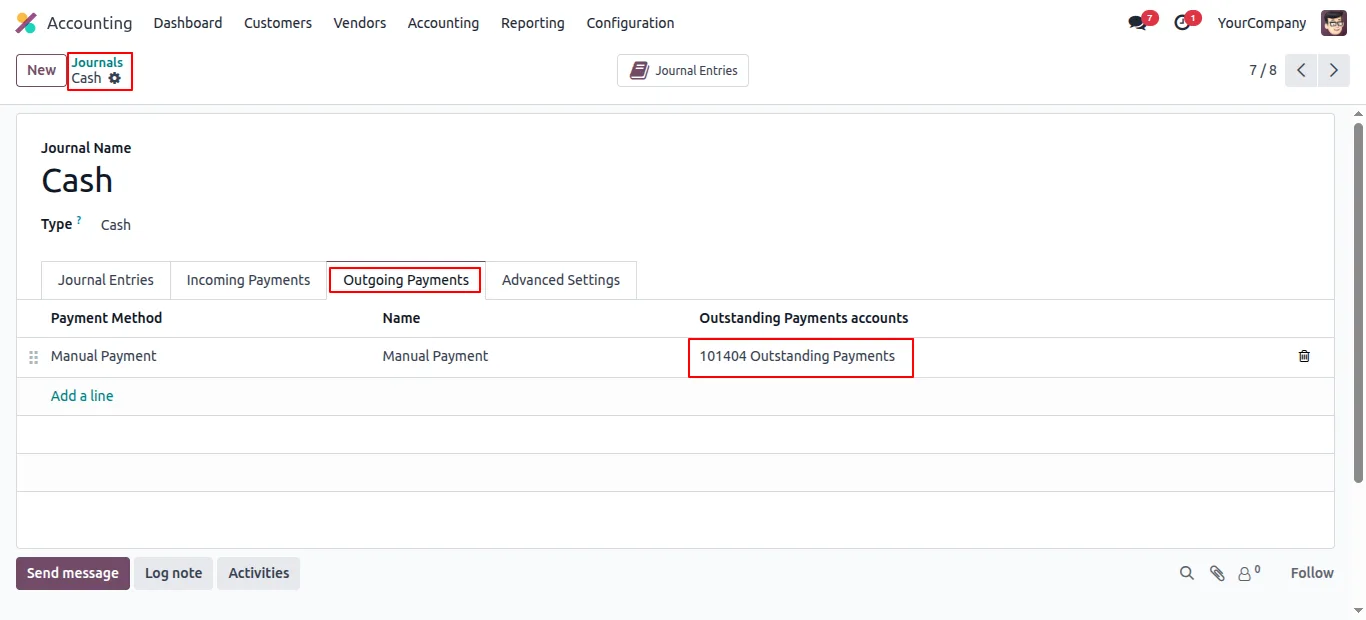
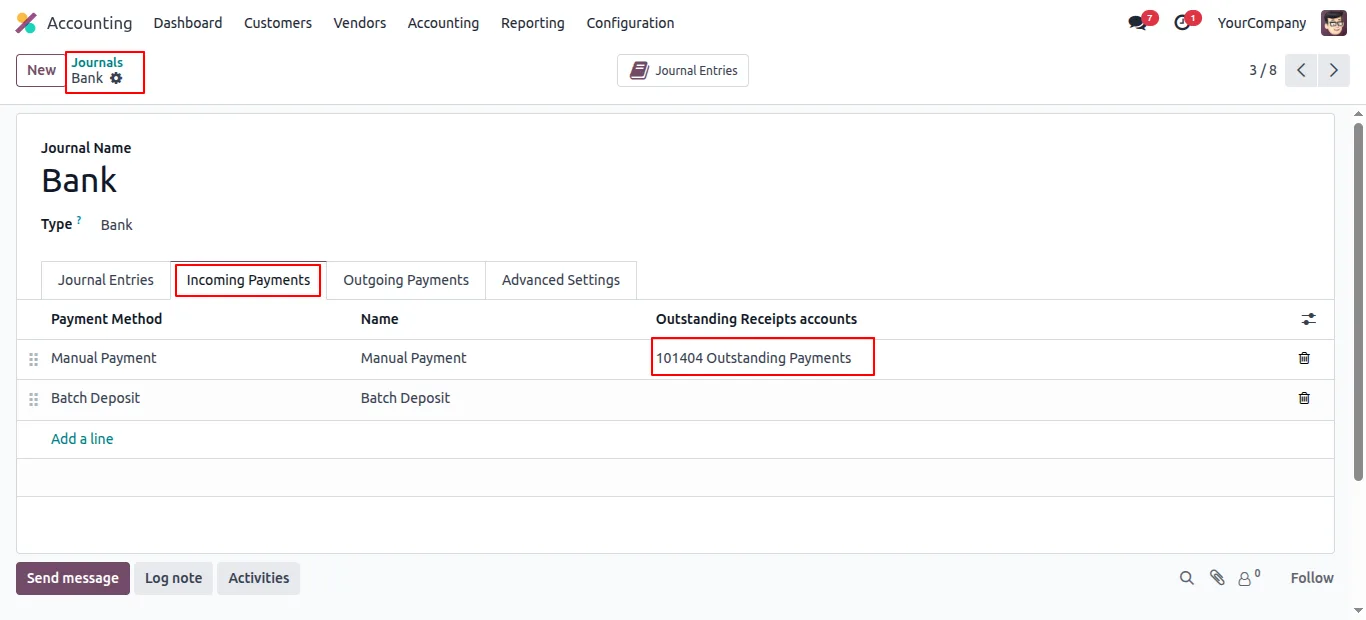
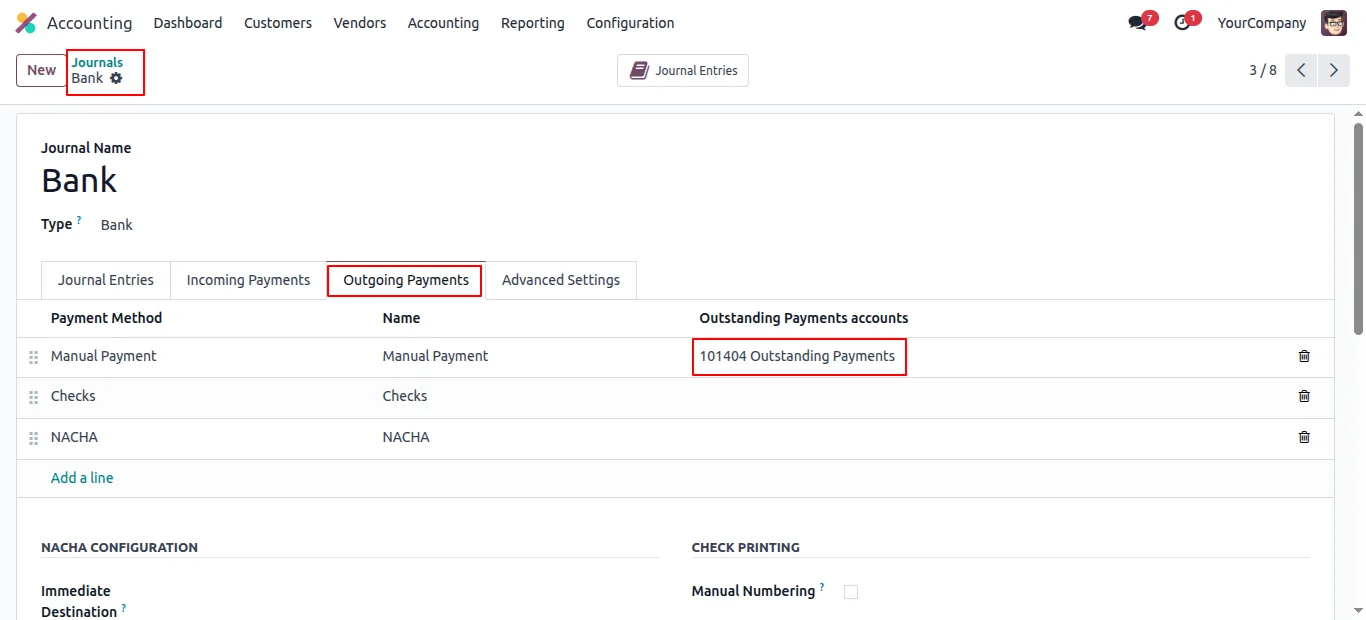
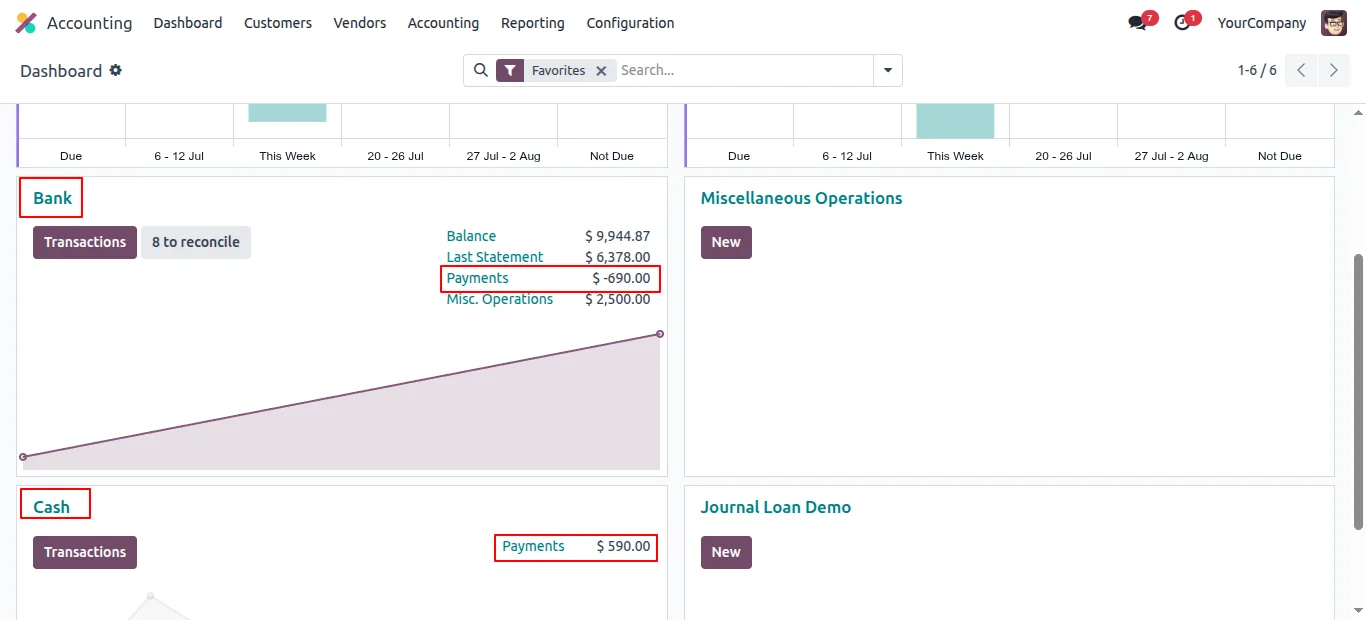
Enable Outstanding Payments on the source and destination journals and start using internal transfers with a straightforward setup.
Internal Payment Transfer in Odoo
Every screen, in the order you meet it — configuration first, then the module in use.
Technical details
Specification
- Publisher
- TechUltra Solutions Private Limited
- Technical name
- internal_payment_transfer
- Odoo versions
- 18.0, 19.0, 20.0
- Lines of code
- 244
- License
- Odoo Proprietary License v1.0 (OPL-1)
- Price
- $12.81 (one-time)
Deployment
- Odoo Online
- Odoo.sh
- On-premise
Odoo dependencies
- Invoicing
- Discuss
Support
90 days of bug-fix support, Monday to Friday (10:00–19:00 IST). Raise a ticket at support@techultra.in.
Setup & configuration
From install to first call — here is the path.
- 1
Install the module
In Odoo, open Apps, remove the Apps filter, search for “Internal Payment Transfer”, and click Install.
- 2
Open the journals to use
Go to Accounting → Configuration → Journals and open the bank, cash, and other payment journals you want to use for internal transfers.
- 3
Configure Outstanding Payments
On each journal, set Outstanding Payments accounts in the Incoming Payments and Outgoing Payments sections so the transfer entries post to the right accounts.
- 4
Create the internal transfer
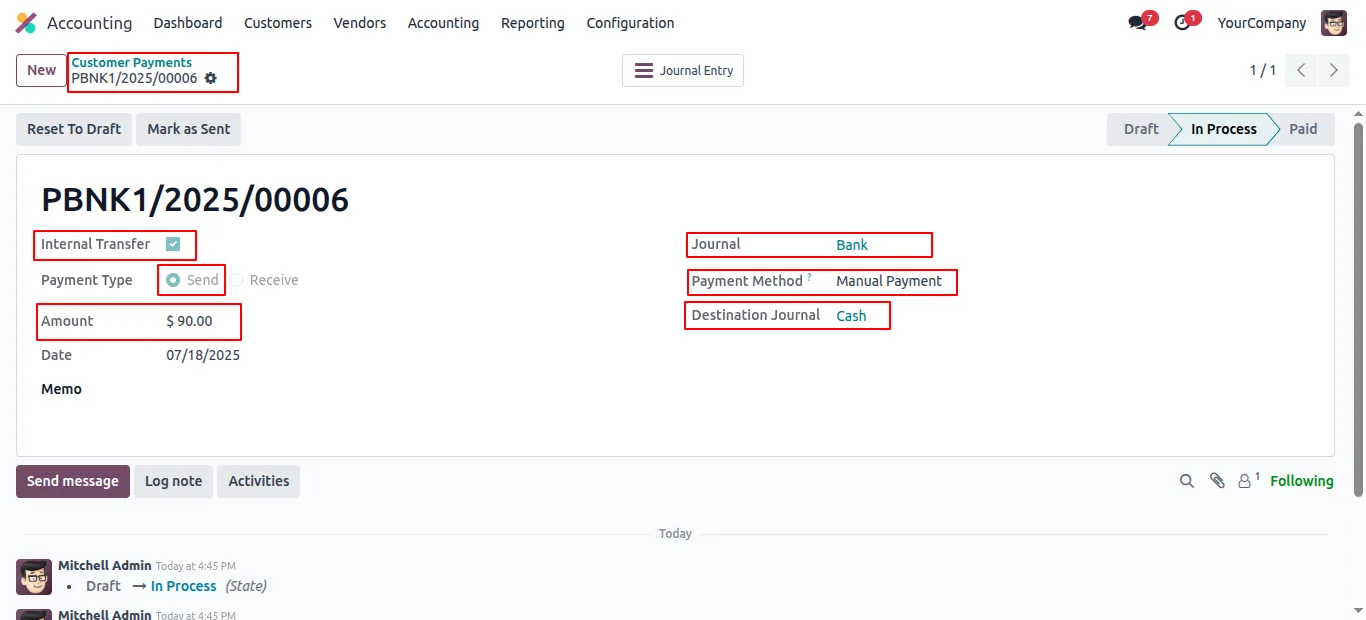
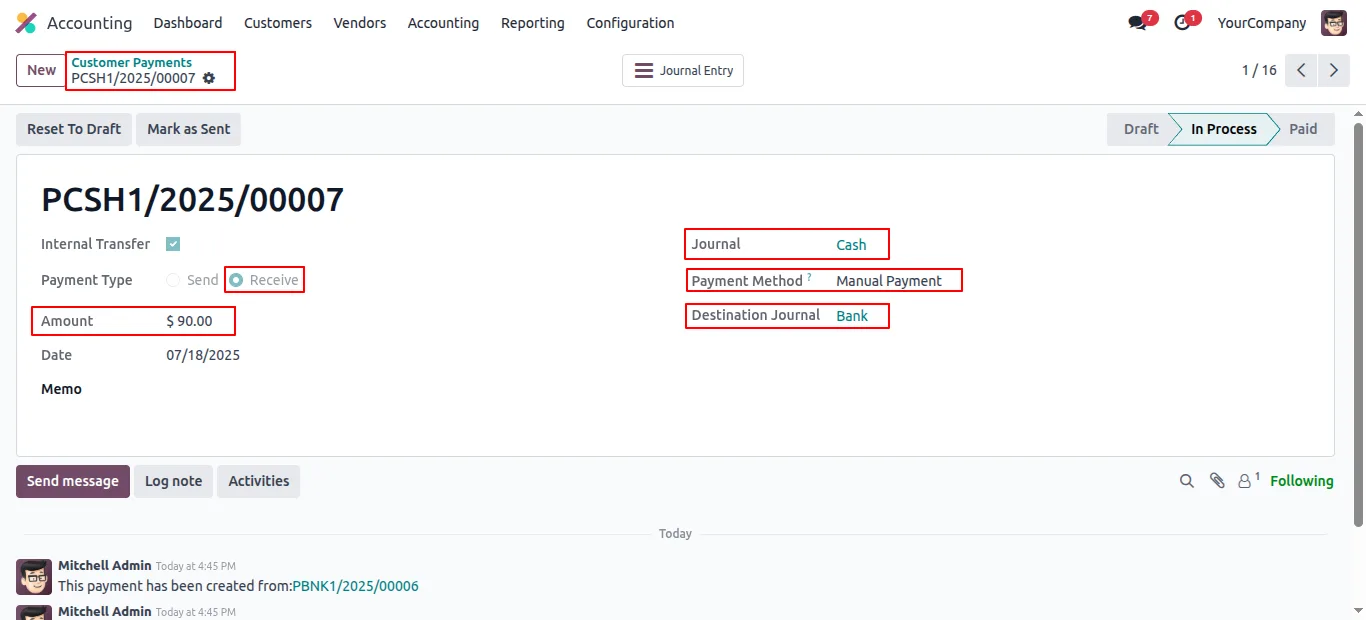
Go to Accounting → Customer → Payments, create a new payment, select Internal Transfer as the payment type, and pick the source and destination journals plus the amount.
- 5
Confirm and review
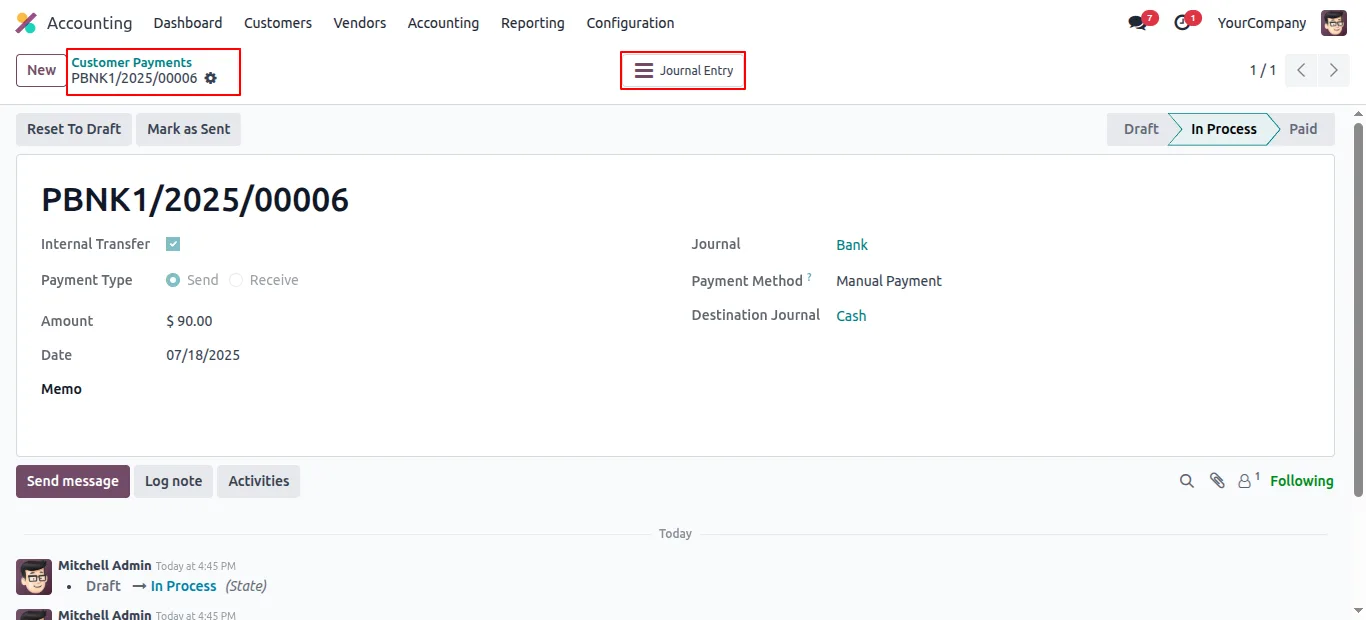
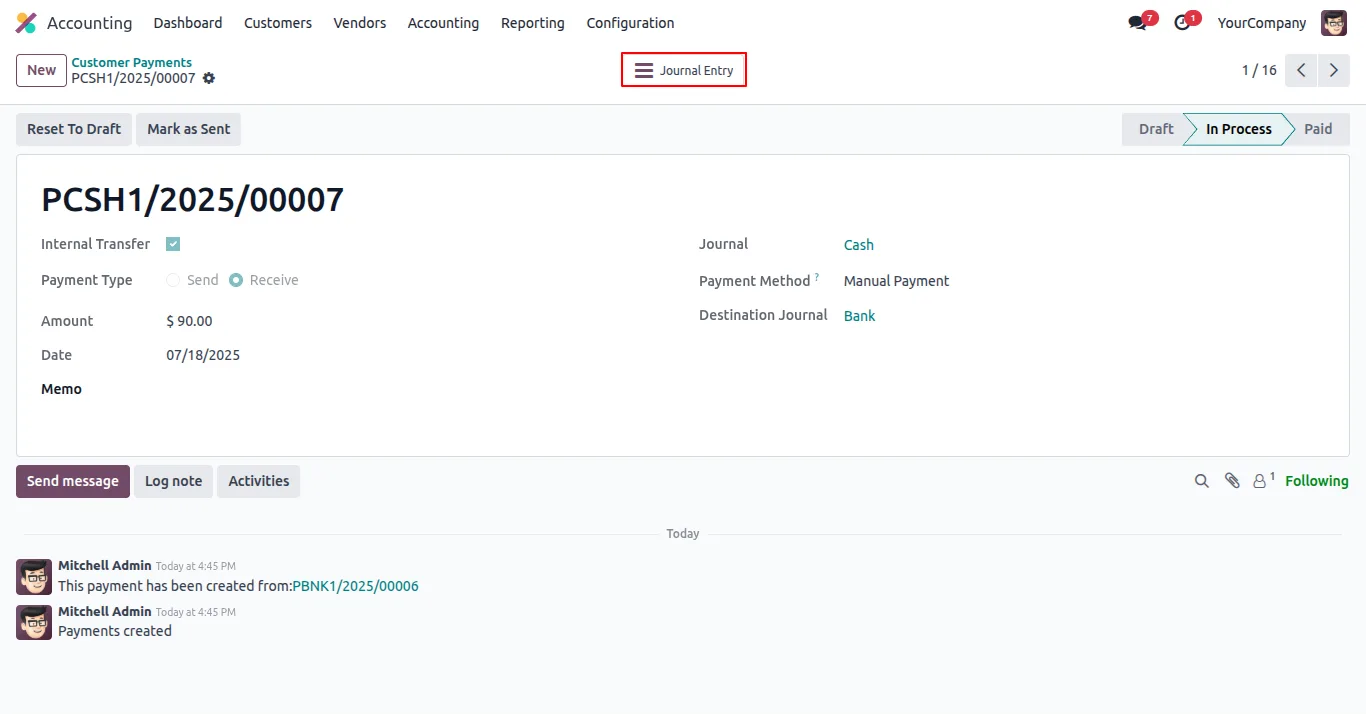
Confirm the payment. The module automatically posts the matching receive payment on the destination journal and creates the corresponding journal entries on both sides.
Frequently asked questions
-
What problem does this module solve in Odoo 19?
It restores the internal-transfer payment flow that finance teams rely on for moving funds between bank, cash, and other payment journals, with matching entries posted on both sides automatically.
-
What types of internal transfers does it support?
Bank-to-bank and bank-to-cash are the most common patterns, but the module supports transfers between any two payment journals — bank, cash, or other — that are configured with Outstanding Payments accounts.
-
Are accounting entries created automatically?
Yes. The module posts matching journal entries on both the source and the destination journal when the transfer is confirmed, so accountants do not have to record two payments or build manual entries.
-
Does it help with reconciliation?
Yes. Entries are structured to fit Odoo's standard reconciliation process, so bank statement lines for the transfer match cleanly on both sides.
-
Which Odoo versions are supported?
The module supports Odoo 18.0, 19.0 and 20.0, in both the Community and Enterprise editions.
-
What configuration is required before the first transfer?
Set the Outstanding Payments accounts in the Incoming Payments and Outgoing Payments sections of each journal you want to use for transfers. After that, internal transfers work as a standard payment type.
-
Does the module change Odoo's standard accounting workflow?
No. It plugs into the standard Payments model with a dedicated Internal Transfer payment type, so existing accounting reports, audit trails, and access rules continue to apply.
Listing verified against the Odoo App Store:
Related solutions
Whole-platform solutions that complement Internal Payment Transfer.
Odoo Accounting
Odoo Accounting — multi-entity, multi-currency, bank-feed integration, reconciliation, deferred revenue, GAAP / IFRS. 60+ country localisations.
Odoo as Accounting Software
Odoo Accounting standalone — alternative to QuickBooks, Tally, Xero, Zoho Books. Real GL, multi-entity, statutory compliance, scales into full ERP.
E-Invoicing on Odoo
Native e-invoicing for Odoo — India GST, Italy FatturaPA, Saudi ZATCA, Mexico CFDI, EU EN 16931. IRN registration, statutory submission, audit archives.
Related services
Get the most out of this module with senior TechUltra consultants.
Odoo Customization Services
Odoo customization from a Gold Partner: custom modules, workflows, reports and Studio changes, written upgrade-safe and quoted at a fixed scope. Free scoping call.
Hire Odoo Developers
Hire certified Odoo developers from a Gold Partner: one developer or a team, full-time or part-time, 70–160 hours a month. Silver, Gold or Platinum plan, free trial.
Odoo Support Services & Maintenance
Odoo support services from a Gold Partner: functional and technical support plus server cover for Enterprise and Community, 30-minute P1 response, 24/7 option.







