

Odoo App · Accounting & Finance
HDFC Vendor Payment Integration
Pay vendors directly from Odoo through HDFC Bank's Corporate API with NEFT, RTGS, and IMPS.

Overview
HDFC Vendor Payment Integration lets accounts payable teams pay vendors from inside Odoo. There is no file to export, no net banking login, and no manual upload — you click Pay on a vendor bill and the payment goes to HDFC Bank's Corporate API directly.
Built by TechUltra Solutions, the integration is built for bank-grade security. Every payment request is signed with JWS (JSON Web Signature) and encrypted with JWE (JSON Web Encryption) — the JOSE protocols HDFC requires — and every response is decrypted and validated automatically before Odoo records it.
It suits businesses with frequent vendor bills, bulk payouts, or daily NEFT, RTGS, and IMPS runs. The module ties into Odoo Accounting through vendor bills, payments, and journals, tracks each transaction through to completion, and supports multiple companies, each with its own HDFC configuration.
Key features
-
Direct vendor payment from Odoo
Pay vendor bills straight from Odoo to HDFC Bank's Corporate API — no exported files, no net banking login, and no manual upload step.
-
NEFT, RTGS, and IMPS support
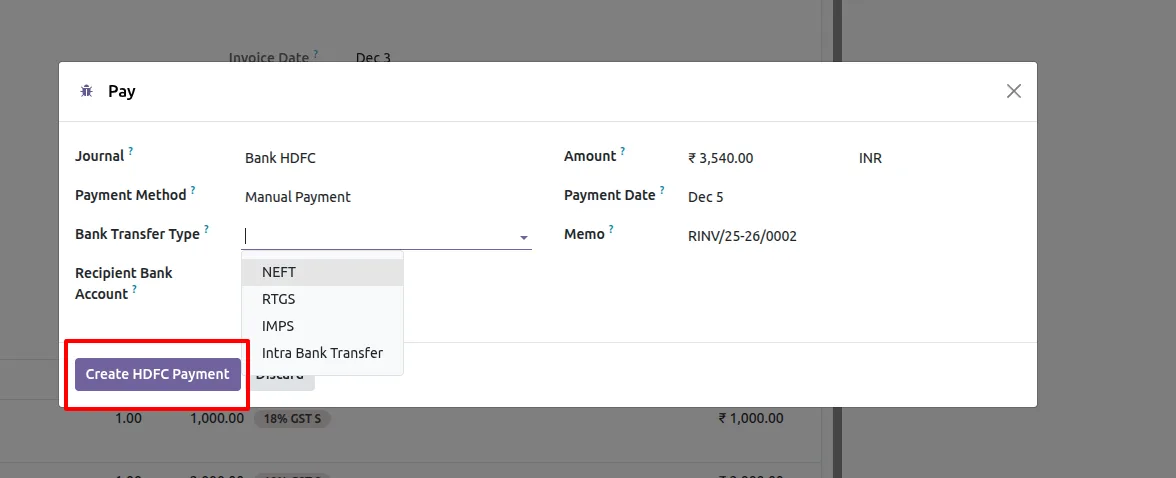
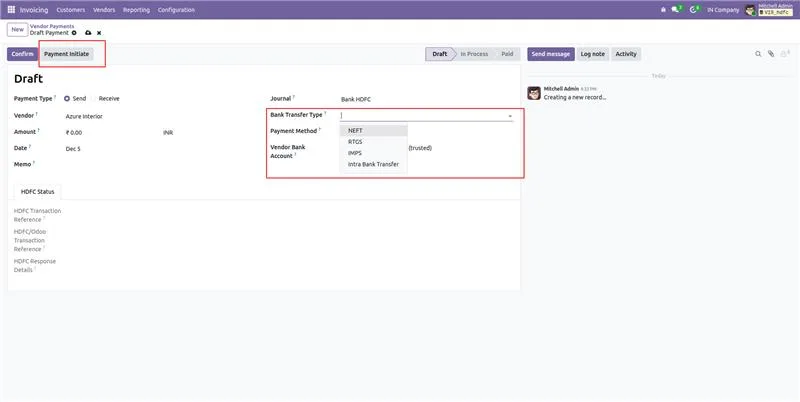
Choose the transfer mode that fits each payment, including NEFT, RTGS, IMPS, and internal own-account transfers.
-
JWS signing and JWE encryption
Every payment request is signed with JWS and encrypted with JWE, the JOSE protocols HDFC Bank requires for bank-compliant transactions.
-
Automatic response handling
Responses from HDFC are decrypted and validated automatically, so Odoo records an accurate result without any manual processing.
-
Real-time payment status
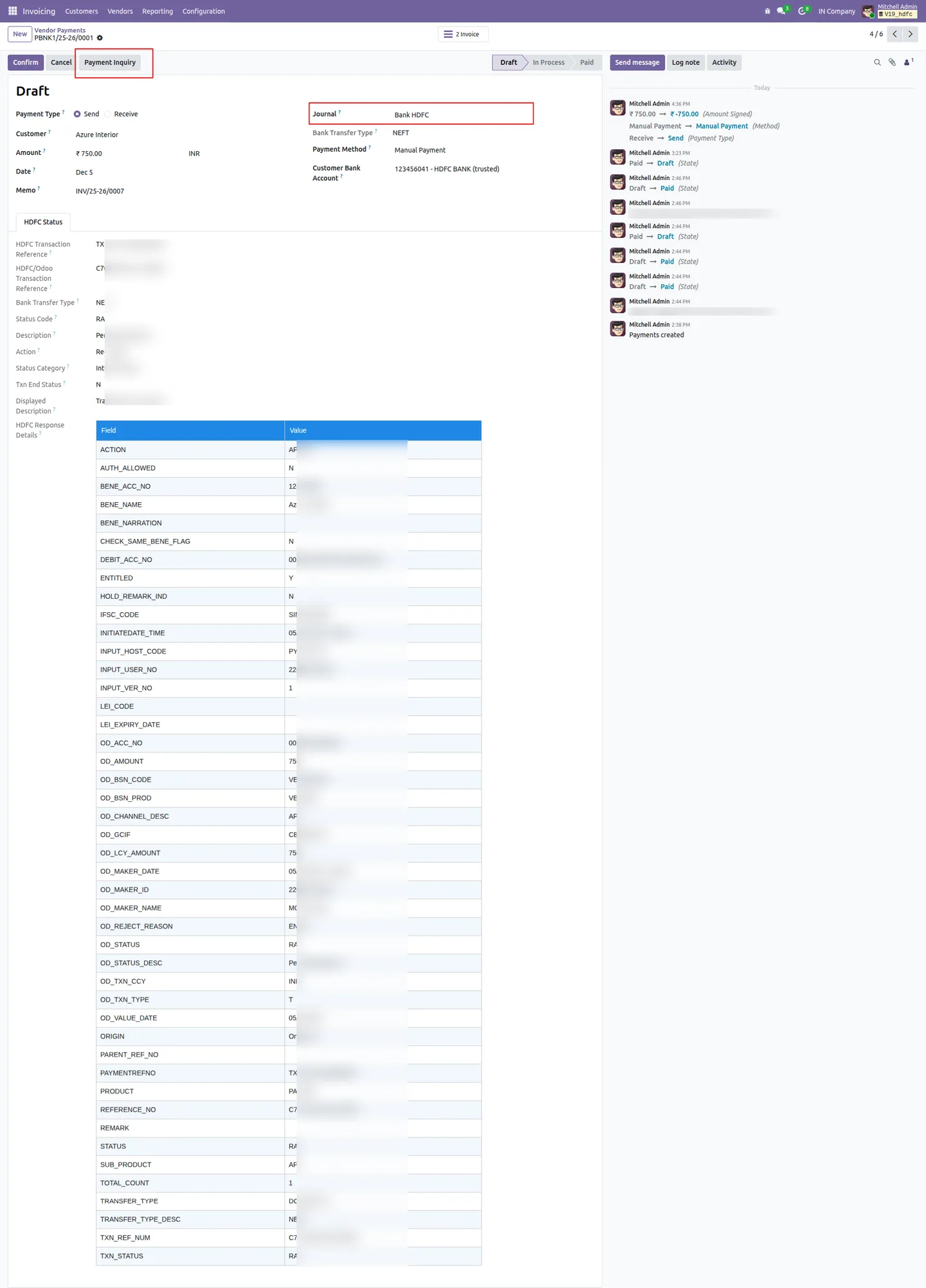
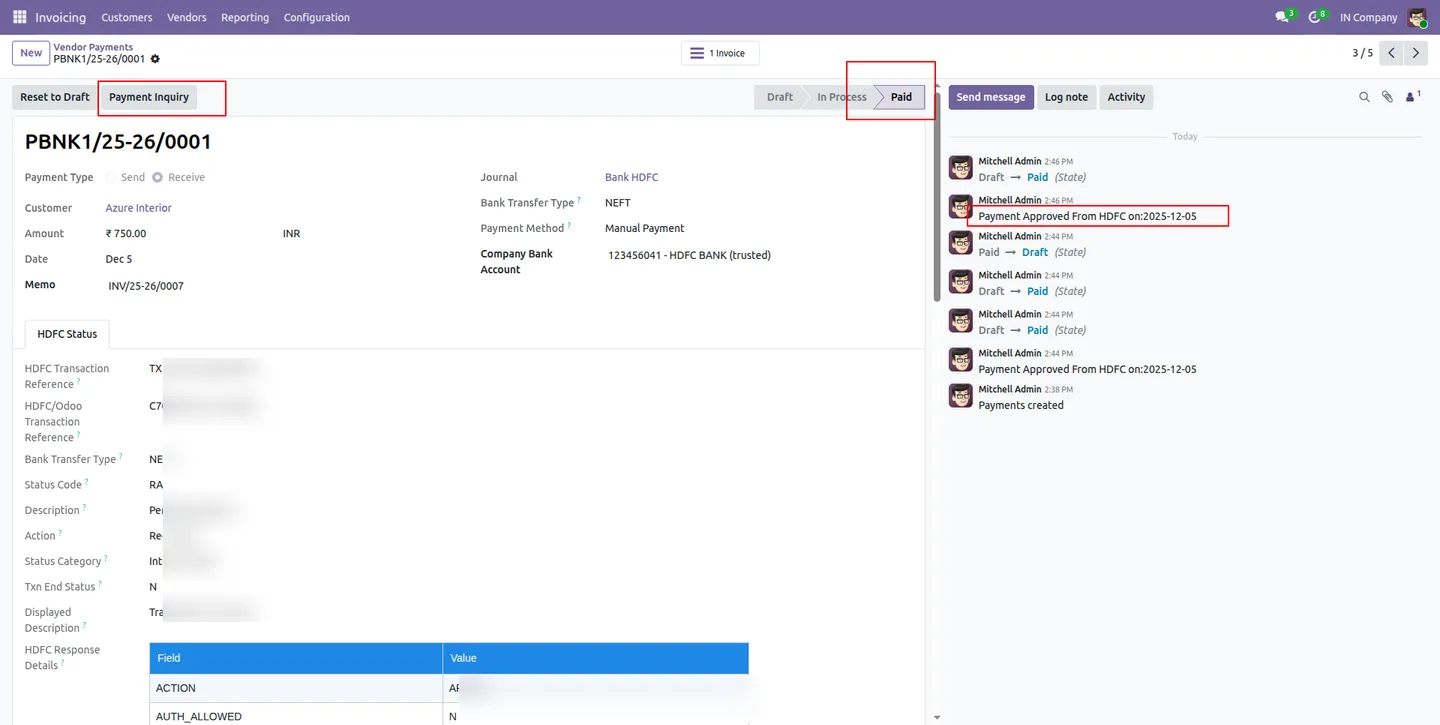
Each transaction is tracked through its full lifecycle — Submitted, Accepted, Processed, Completed, or Rejected — visible directly in Odoo.
-
Native Accounting integration
The module works through Odoo vendor bills, payments, and journals, so payments stay reconciled with your accounts without a separate workflow.
-
Centralized configuration panel
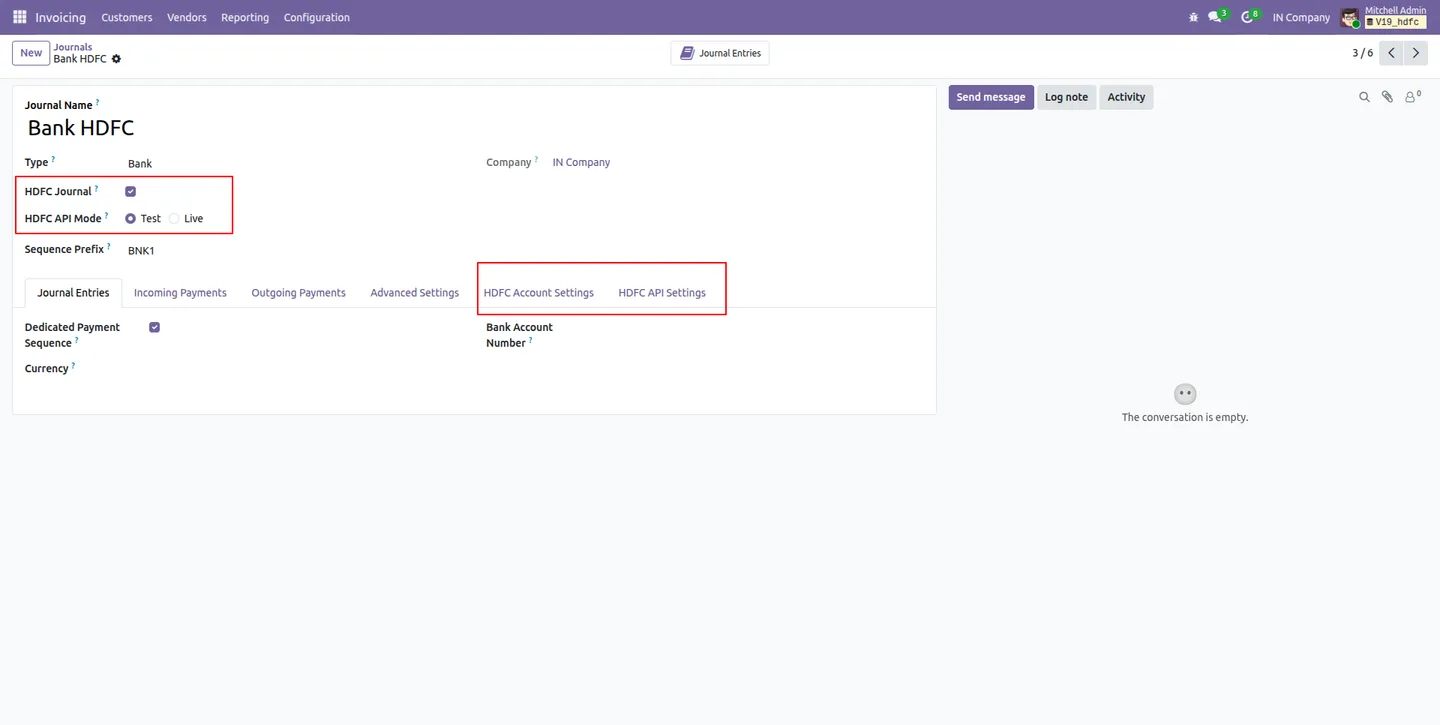
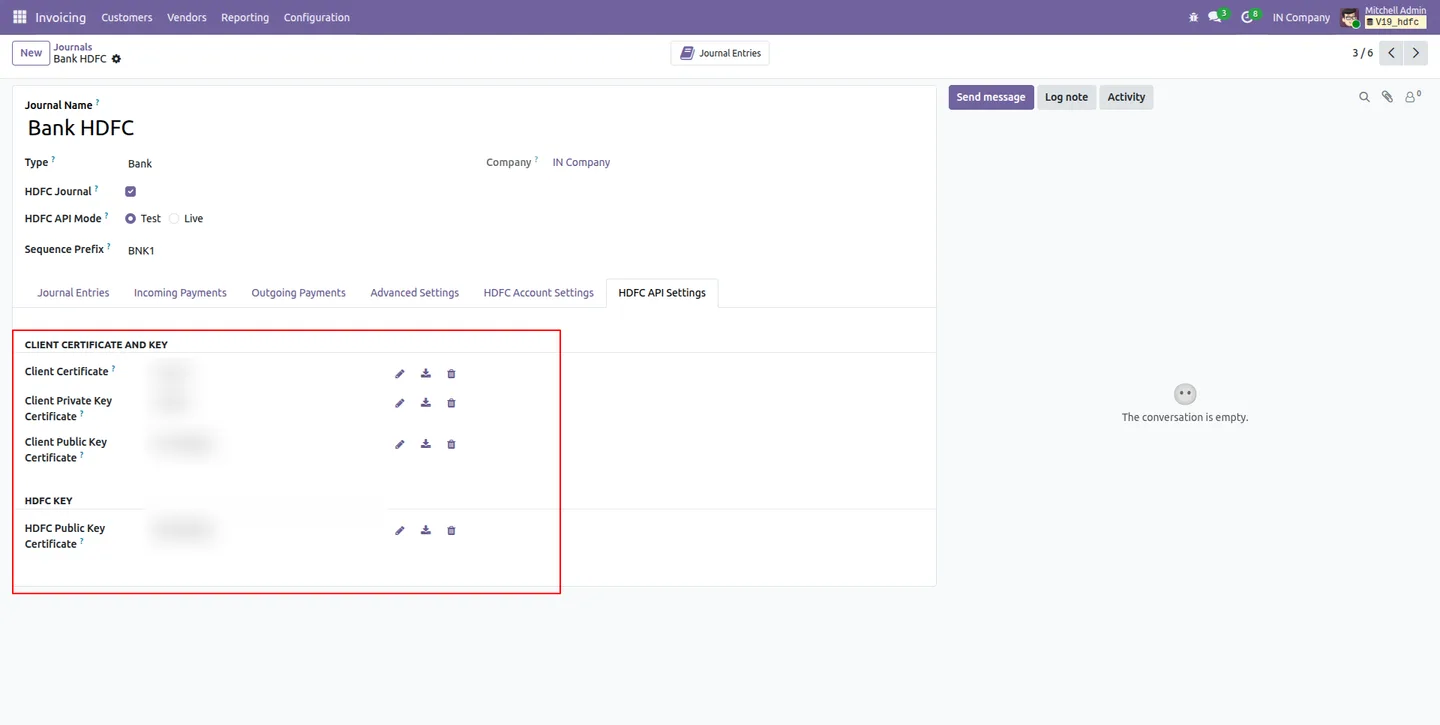
API credentials, private keys, public certificates, and environment settings are all managed from one configuration screen.
-
Multi-company support
Each company keeps its own independent HDFC bank configuration, so a group of companies can run their vendor payments side by side.
-
Payment enquiry
A Payment Enquiry action retrieves the current status of a transaction from HDFC on demand, confirming where each payment stands.
HDFC Vendor Payment Integration in Odoo
Every screen, in the order you meet it — configuration first, then the module in use.
Technical details
Specification
- Publisher
- TechUltra Solutions Private Limited
- Technical name
- hdfc_vendor_payment
- Odoo versions
- 18.0, 19.0
- Lines of code
- 1,239
- License
- Odoo Proprietary License v1.0 (OPL-1)
- Price
- $299.90 (one-time)
Deployment
- Odoo Online
- Odoo.sh
- On-premise
Odoo dependencies
- Invoicing
- Discuss
Support
90 days of bug-fix support, Monday to Friday (10:00–19:00 IST). Raise a ticket at support@techultra.in.
Setup & configuration
From install to first call — here is the path.
- 1
Install the module
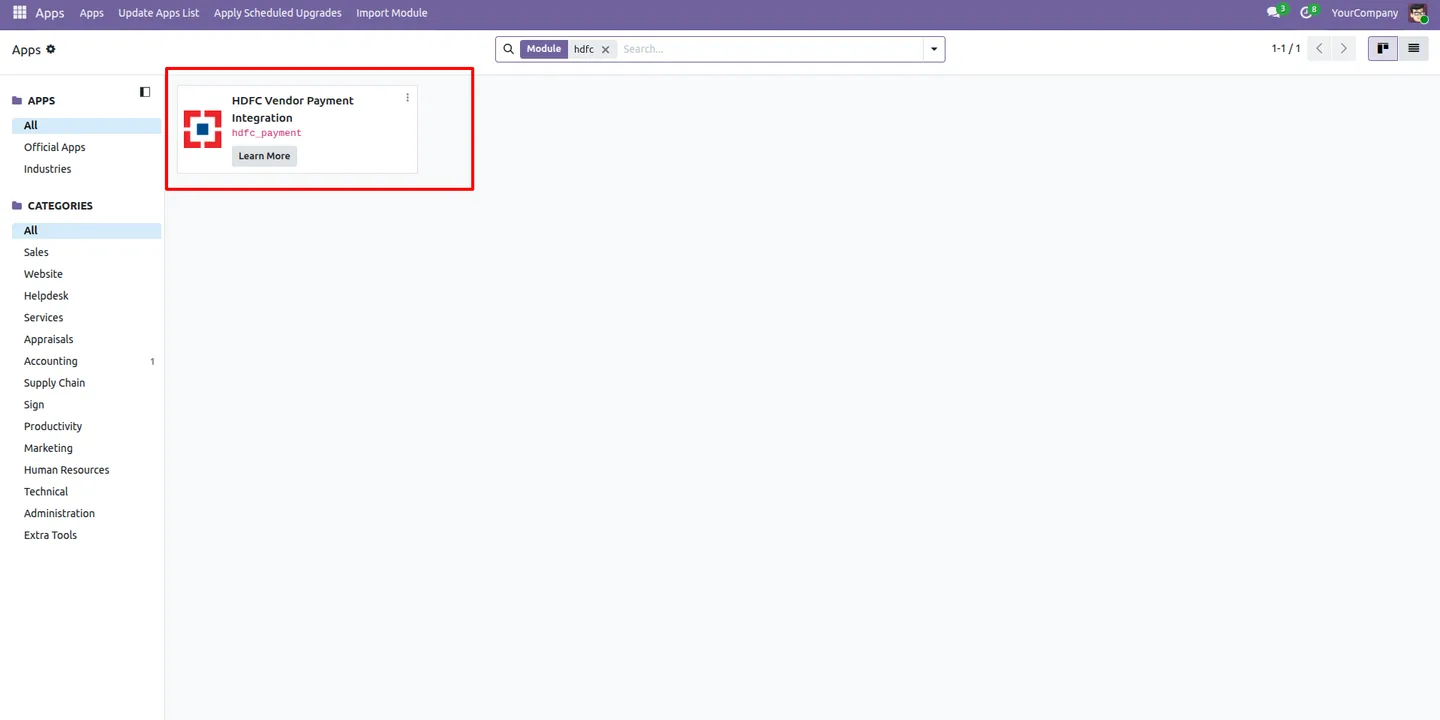
In Odoo, open Apps, remove the Apps filter, search for “HDFC Vendor Payment Integration”, and click Install.
- 2
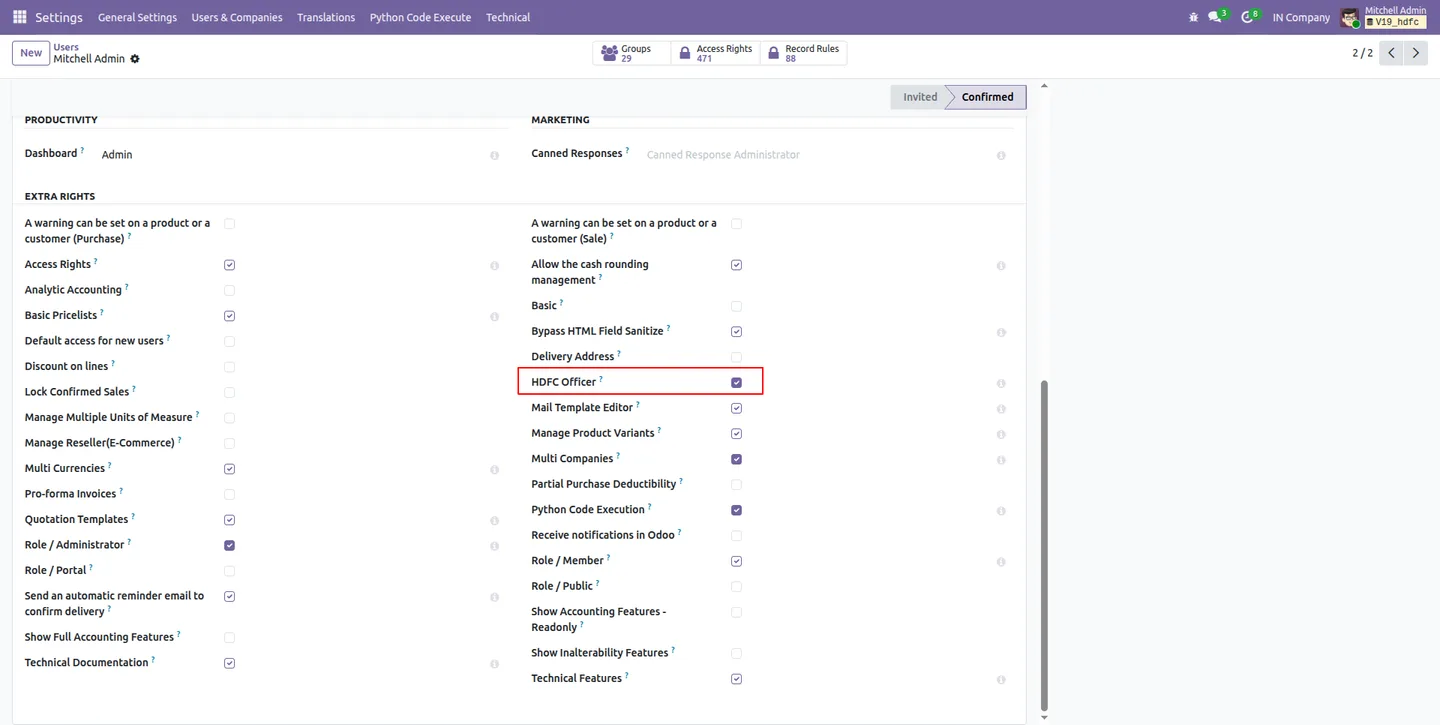
Assign the HDFC Officer role
Give the HDFC Officer role to the users who will handle vendor payments through the integration.
- 3
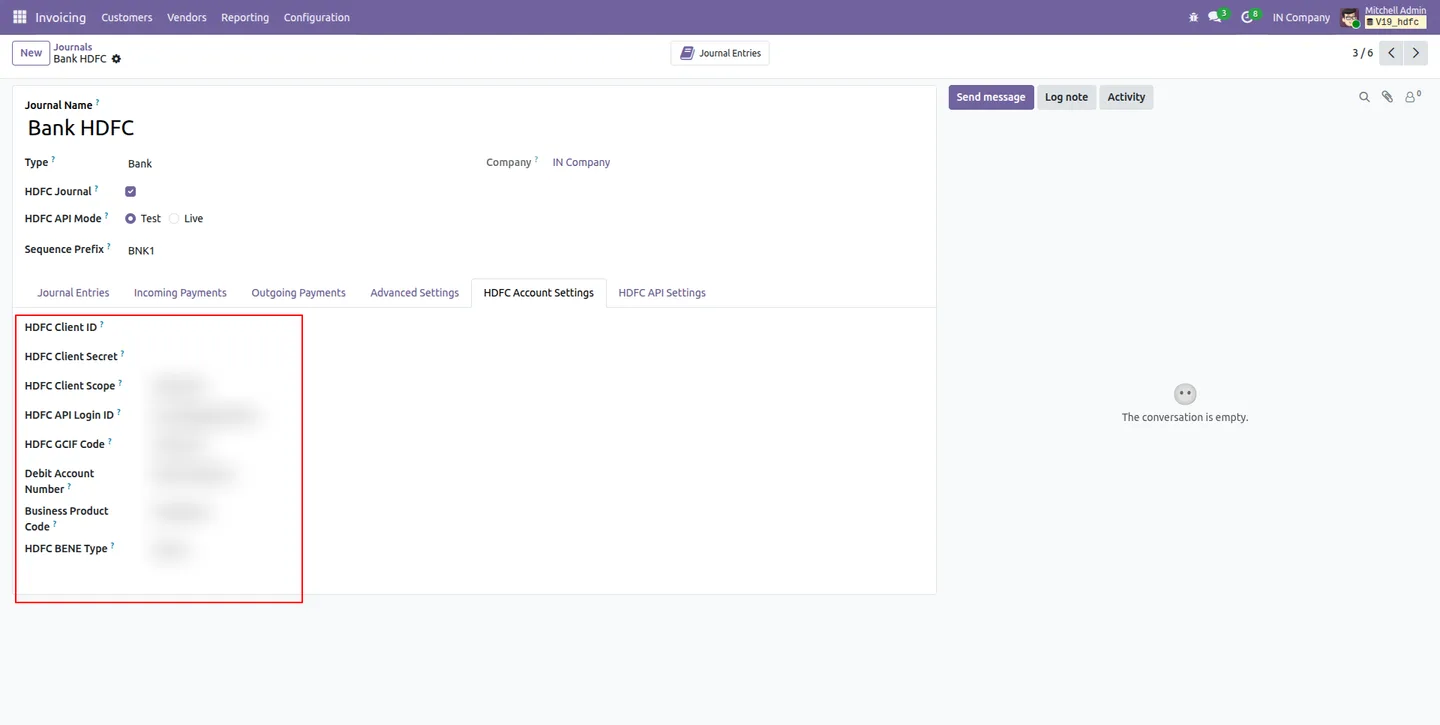
Enter HDFC account settings
Fill in the HDFC connection details — Client ID, Client Secret, Client Scope, API Login ID, GCIF Code, debit account number, business product code, and BENE type.
- 4
Upload the certificates and keys
Upload the client certificate, client private key certificate, client public key certificate, and the HDFC public key certificate so requests can be signed and encrypted.
- 5
Set up vendor bank accounts
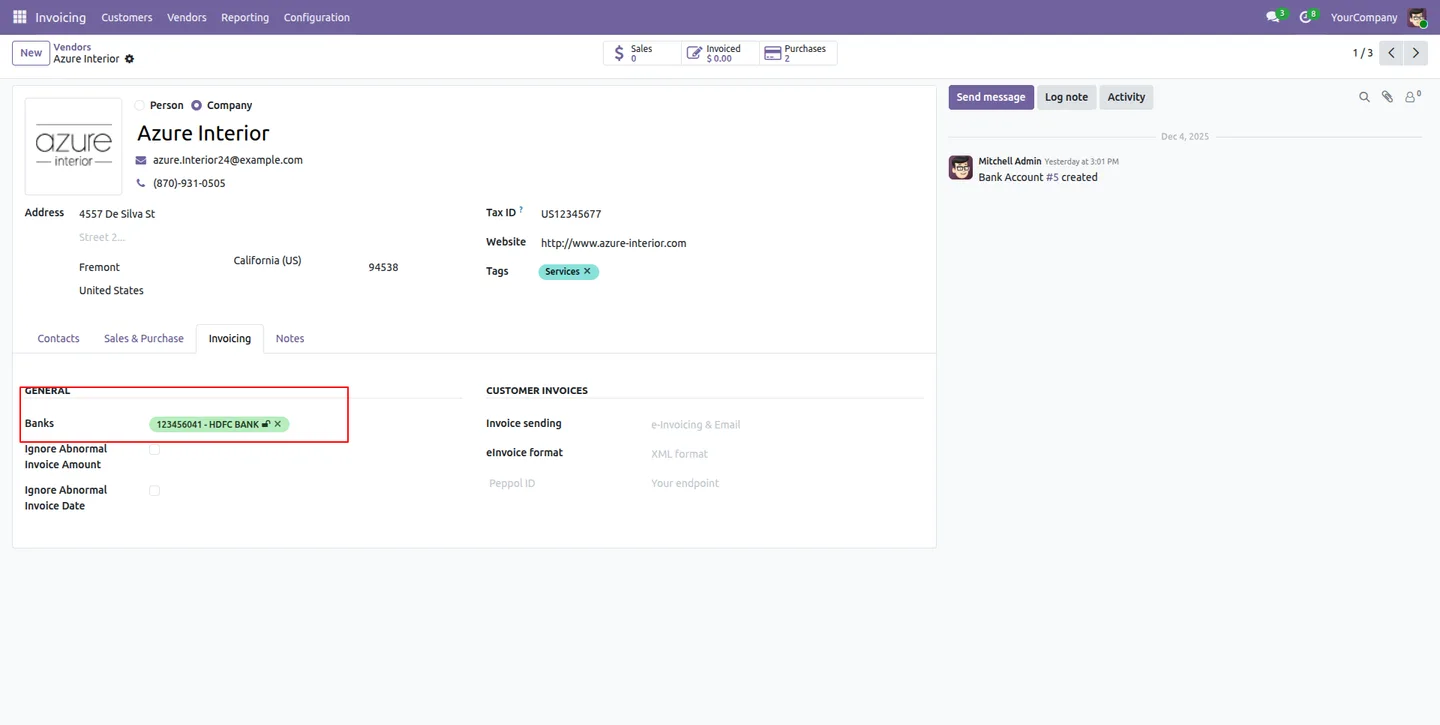
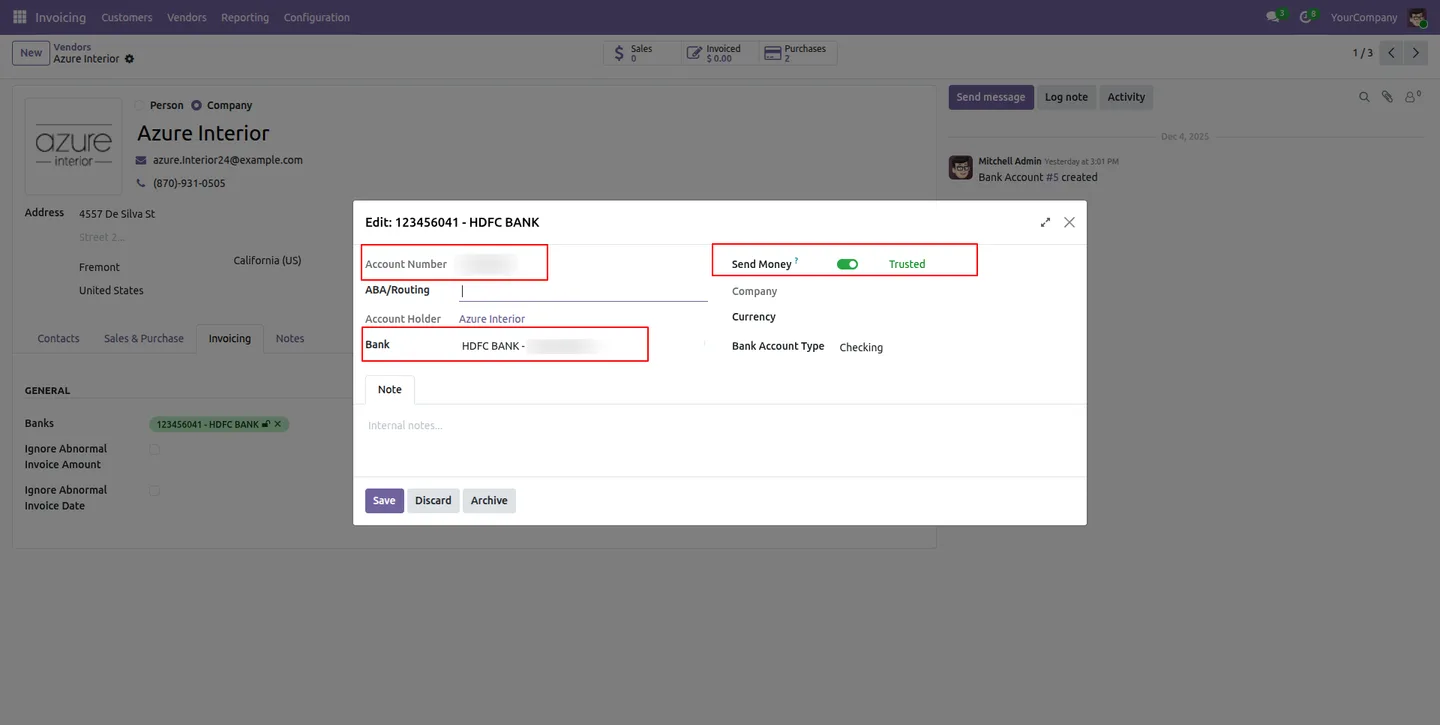
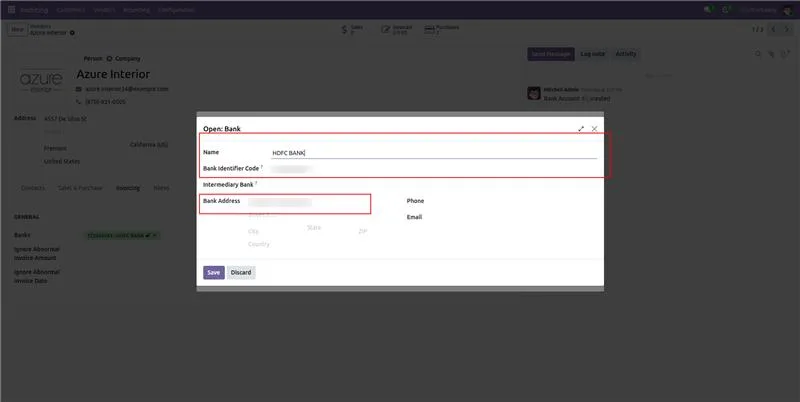
On each vendor's Invoicing tab, add the bank account, confirm the account holder name and IFSC code, and set the Trusted status flag.
- 6
Make a payment
Click Pay on a vendor bill, choose the HDFC journal and transfer mode, pick the vendor's trusted account, then click Create HDFC Payment to submit it.
Frequently asked questions
-
Do I still need to log in to HDFC net banking?
No. Payments go from Odoo straight to HDFC Bank's Corporate API. There is no file export, no upload, and no net banking login in the payment flow.
-
What are JWS and JWE?
JWS (JSON Web Signature) signs each payment request and JWE (JSON Web Encryption) encrypts it. They are the JOSE security protocols HDFC Bank requires for bank-compliant transactions, and the module applies both automatically.
-
Which transfer modes are supported?
The module supports NEFT, RTGS, IMPS, and internal own-account transfers. You select the mode per payment when you create it.
-
How do I know whether a payment went through?
Each transaction shows a real-time status — Submitted, Accepted, Processed, Completed, or Rejected. The Payment Enquiry action also fetches the current status from HDFC on demand.
-
Can it handle more than one company?
Yes. The module supports multiple companies, and each company holds its own independent HDFC bank configuration.
-
What do I need from HDFC to set it up?
You need HDFC Corporate API access — the Client ID, Client Secret, Client Scope, API Login ID, GCIF Code, and the related certificates and keys, all entered in the module's configuration panel.
-
Which Odoo versions are supported?
The module supports Odoo 18.0 and 19.0, in both the Community and Enterprise editions.
Related solutions
Whole-platform solutions that complement HDFC Vendor Payment Integration.
Odoo Accounting
Odoo Accounting — multi-entity, multi-currency, bank-feed integration, reconciliation, deferred revenue, GAAP / IFRS. 60+ country localisations.
Odoo as Accounting Software
Odoo Accounting standalone — alternative to QuickBooks, Tally, Xero, Zoho Books. Real GL, multi-entity, statutory compliance, scales into full ERP.
E-Invoicing on Odoo
Native e-invoicing for Odoo — India GST, Italy FatturaPA, Saudi ZATCA, Mexico CFDI, EU EN 16931. IRN registration, statutory submission, audit archives.
Related services
Get the most out of this module with senior TechUltra consultants.
Odoo Customization Services
Tailored Odoo customizations from a Gold Partner — 200+ projects, upgrade-safe patterns, fixed-scope quotes, senior consultants. Free demo consultation.
Hire Odoo Developers
Hire certified Odoo developers from a Gold Partner — 400+ implementations, 92% satisfaction, Odoo since 2016. Silver / Gold / Platinum packages, free trial.
Odoo Support & Maintenance
Odoo Gold Partner support — 24/7 functional, technical, and server coverage for Enterprise and Community editions. Fast turnaround, free consultation.







